RichardJoly
-
Posts
500 -
Joined
-
Last visited
Content Type
Profiles
Forums
Events
Everything posted by RichardJoly
-
Congrats to all who contributed to the new website, this was a monumental amount of work and the result is amazing.
-
Bert Vrusch was offering that service at Silverbullet 3D. I don't know if he still does. http://www.silverbullet3d.com/main.html
-
Very well done Dave! Excellent integration to the live action plate. My wife was there when I looked at it and she said why is that moron standing there without helping her? I told her it's an animation. She was impressed.
-
Richard, I'm old school... Raid is the way to go for video and secured big and fast transfers. Firewire 800 is good, SATA is better. At work, I use a LaCie Biggest FW800. At home, my Macbook is connected to a USB2 Western Digital Drive that I use to edit family video and render animations without problem. It would scare me to use it with HD Video Footage for a 15-20 minutes production...
-
Thomo, A VR movie should do the trick. I would try object VR in the top right of the Resolution tab of the Render window.
-

Cycle through different shading styles?
RichardJoly replied to joseph56's topic in Features propositions / Ideas
Joseph, While it is possible to do so in Transporter by hitting W, I am not aware we can inside Animator. Something we might look into. -
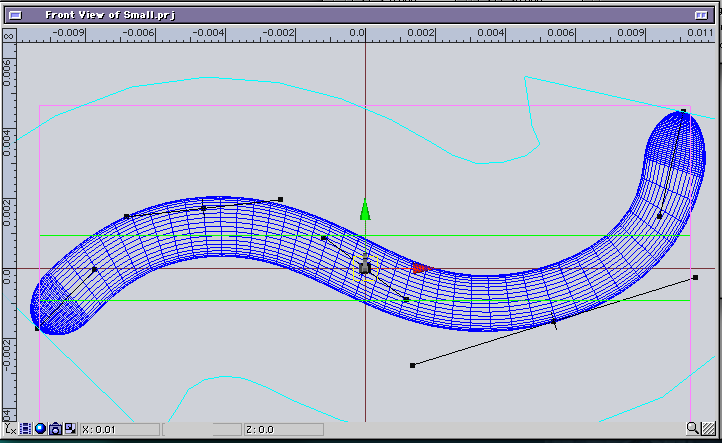
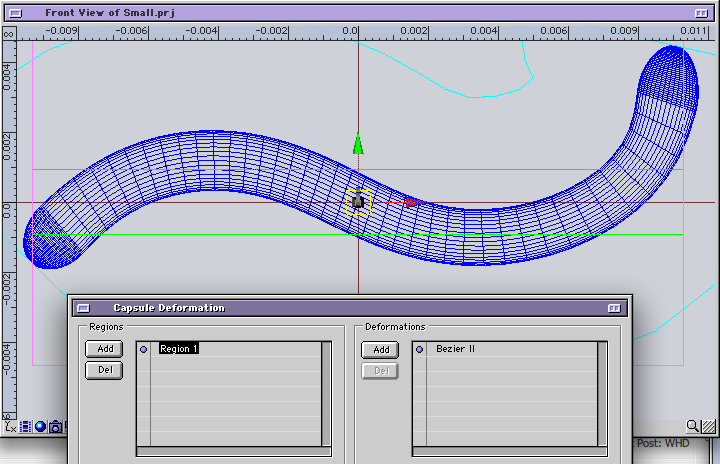
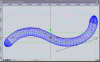
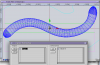
Derryl, I tried with a VERY small model (.02 length X .001 radius) and I see the handles. The only way I don't see them is if I deselect the deformation(BezierII) in the deformation window. Could it be that simple... I doubt it, please send the project so I can dissect it...? My address is there: http://www.eias3d.com/forums/showthread.php?tid=30
-
Beautiful images Michael! Your attention to details is commendable and the lighting is fantastic! I hope no one missed the top page link to your CG Art Gallery... Congrats! P.S. I just bought Jeremy Birn's Digital Lighting & Rendering (Second Edition) book, my summer read...
-
Same here. I contacted Luis about it.

-
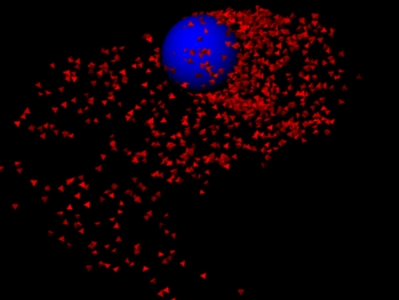
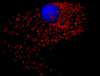
Brian, I never used it much (too lazy to learn...) but I tried a simple sphere emitting tetrahedrons without a glitch with Dante3.1 and EIAS V8.
-
Jens is a gentleman, I'm sure he can work something out. As I said he is often on the EITG Forum, maybe try a private message over there?
-
Bill, The version number should be in the Rodeo.rsc get info window, not in the Rodeo.plm Anyway, you should try and contact Jens or Patrick for the latest version. Jens is often present at the EITG Forum.
-
Bill, I had the same problem with some broken pieces of glass in a test project. http://www.eitechnologygroup.com/forums/viewthread/566/P0/ Patrick Rosendahl pinpointed the problem on the sadly now defunct Ramjac Forum. I can't remember what the solution was but I'm pretty sure he corrected the problem. What is your Rodeo version? Mine is 1.0.2b4
-
Mmmm, wind there is not in SimCloth... How did you fake it?
-
You're THE champion of great freebees discovery! Thanks, and great work (again)...!
-
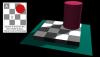
While cleaning up my backup disk, I stumbled on this old project of an optical illusion published by Edward H. Adelson, Professor of Vision Science at MIT in 1995. It always fascinated me. Project here: http://www.rdnmultimedia.com/eias/EIAS_Illusion.zip Here is his explanation: 
The visual system needs to determine the color of objects in the world. In this case the problem is to determine the gray shade of the checks on the floor. Just measuring the light coming from a surface (the luminance) is not enough: a cast shadow will dim a surface, so that a white surface in shadow may be reflecting less light than a black surface in full light. The visual system uses several tricks to determine where the shadows are and how to compensate for them, in order to determine the shade of gray "paint" that belongs to the surface. The first trick is based on local contrast. In shadow or not, a check that is lighter than its neighboring checks is probably lighter than average, and vice versa. In the figure, the light check in shadow is surrounded by darker checks. Thus, even though the check is physically dark, it is light when compared to its neighbors. The dark checks outside the shadow, conversely, are surrounded by lighter checks, so they look dark by comparison. A second trick is based on the fact that shadows often have soft edges, while paint boundaries (like the checks) often have sharp edges. The visual system tends to ignore gradual changes in light level, so that it can determine the color of the surfaces without being misled by shadows. In this figure, the shadow looks like a shadow, both because it is fuzzy and because the shadow casting object is visible. The "paintness" of the checks is aided by the form of the "X-junctions" formed by 4 abutting checks. This type of junction is usually a signal that all the edges should be interpreted as changes in surface color rather than in terms of shadows or lighting. As with many so-called illusions, this effect really demonstrates the success rather than the failure of the visual system. The visual system is not very good at being a physical light meter, but that is not its purpose. The important task is to break the image information down into meaningful components, and thereby perceive the nature of the objects in view.
-
ãŠã‚ã§ã¨ã†ã®ãƒˆã‚·ï¼éžå¸¸ã«ç´ 晴らã—ã„アニメーション。 Congratulation Toshi! Very nice animation.
-
Excellent Bill! Very dynamic. Good ideas for integrating the different titles and animations.
-
Keep it up Mark! It's always fun to do little tests like that. We learn a lot from it. Keep us posted with your cartoon character!
-
You're becoming quite proficient at this. I wish I was. I'm fighting the photon war and loosing many battles... But it will come, in time... An age to render... could you translate that in hours...? Congrats! Nice lighting.
-
Top notch Jake! Sound brings it to another dimension. Nice work!
-
Camera Map and Model animation... Teaser Trailer.
RichardJoly replied to Whatever's topic in EIAS Artworks
Yes, great job. Very compelling, excellent cinematography. The plane is well integrated, the walking soldier giving the size. If I may be so bold, the propellors don't seem to turn fast enough to move the plane forward. Have you tried a pre-blurred image instead of the actual propellors? Here is an example: http://www.rdnmultimedia.com/eias/propellor.mov project: http://www.rdnmultimedia.com/eias/propellor.zip -
Now that's a mean character Reginald, we will have to make a restricted section in the gallery to accomodate it... Nice test, good texture and bumps. Where those made of wood? If so, to give the little fellow a more realistic appearence, I would scar the paint a bit and add a couple of indents to show the destruction power of the young owner... Did you use a transparency map? We kind of see through parts of it?
-
It is supposed to work... Could it be a maximum bump scale could be inherent to the map? Can we boost the bump over the original scale? I never tested that. Have you tried .1 to see if the bumps scale down? Could you post the normal map?
-
Great job Alexander! Nice use of Camera mapping to fill in the details. Congrats!