Tomas Egger
-
Posts
3517 -
Joined
-
Last visited
-
Days Won
20
Content Type
Profiles
Forums
Events
Everything posted by Tomas Egger
-
Ola, Its the only one for Mac, Im still using Motion Builder 7.5 Extension_1 for Mac on Snow Leopard OSX :) A long time they dont release a new Life Form version: http://www.charactermotion.com/ They just released a working version for OSX Lion 10.7.x Life Forms had some interesting ways to solve Mocap files, but Motion Builder is more modern. Thanks Tom
-
Ola bbuxton! Im playing with Mixamo.com right now, take a look, you can upload your Character, create a mocap Rig automatically there and do some mocap edit too, after you are happy with the final motion, you can buy it and download a .bvh file which you can skin in your EIAS character. Pretty easy and cool! Btw: I have Life Forms 5.0 and Motion Builder 7std mac :) Thanks Tom
-

Parametric Cloner Animation Module
Tomas Egger replied to Diego's topic in Features propositions / Ideas
Ola Derryl! Here it is: Instancer_7.zip Thanks Tom -
Ola, Cool Alex!! Thanks Tom
-
Ola Tango! Probably the merged project had a scale conflict with the previous project, so, if you take a look in same groups, you will see a scale of (-inf), try to invert the process, open the second project and import the first one, see if it happens again. btw: we improved this problem in EIAS 9. Thanks Tom
-
Ola Kurt!! Its a really interesting new research from NVIDIA.. the mix of CPU+GPU distributed simulations over the farm is the future for sure, lots of Pro fluid simulation software are doing this right now.. I found this one interesting: http://www.exoticmatter.com/demo-graphs/ Thanks Tom
-
Ola Alex!! Excelent test!!! Thanks Tom
-
Ola Steven! I will take a look! Thanks Tom
-
Ola Alex! Haze effects are “almost†done in compositing only, I never did it full in 3d :) Maybe a group “the Haze†with wave deformations and some refraction and transparencies? Thanks Tom
-
Ola Steven! Awesome use of this shader! Thanks Tom
-
Hey Rich! This is a amazing idea! I heard about Kickstarter a month ago!! great to have projects like yours! Thanks Tom
-
Animator cannot be opened because of a problem
Tomas Egger replied to sphaera's topic in Technical issues
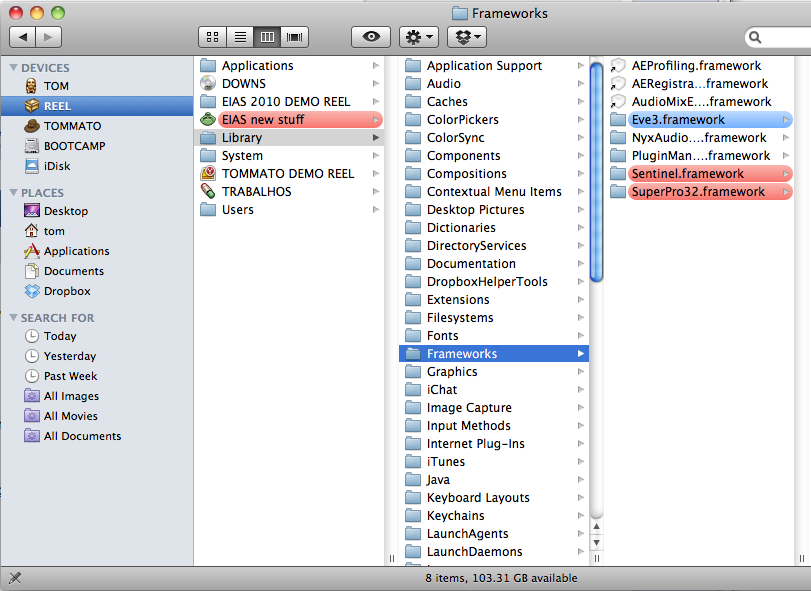
Ola Michael, Please, Unzip this file and place these frameworks in this path: Your HD / Library / Frameworks / Frameworks.zip Please, message after you place them and run Animator again. Nice work by the way :) Thanks Tom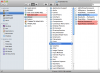
-
Ola Chris! We tried to improve it, but its something changed in the new versions of After Effects, I already contacted them, lets see if they will help. Thanks Tom
-
Ola Chris!! Im using the same QT version than you. I just did a test, simple proj, 300 frames + Rama, 25fps, 1280x960. After Effects CS5.5 read using all options like 30fps for me, then, I tried another trick, I got my “Test.img†file and renamed the extension to “Test.image†After Effects importing as "IMAGE ElectricImage", read the file correctly as 25fps. Please, try it Thanks Tom
-
Ola Chris, This trick is used in the Mac, Which AE version do you have? Do you have the EI Quicktime time component installed? Rama problems are already fixed on EIAS 9. Thanks Tom
-
Ola Francesco! We dont have plans to change the prices... Thanks Tom
-
Ola Vincifr!! A public beta in the moment of the cycle we are is not the best move for us, we are totally in focus to finish EIAS 9 as soon as possible! Thanks Tom
-
Viewing on iphone an animation as it renders
Tomas Egger replied to S. Houtzager's topic in EIAS General Forum
Ola Steven! Thanks a lot Tom -
Ola AVT! Time to have a site :) Thanks Tom
-
Ola AVT!! Nice Job!! Thanks Tom
-
Ola Phungus, We did a decision to change some part of EIAS 9 which reached a limit, so, we are paying the price of this decision, if you were aware of what we are doing, you will understand! But right now, we cant roll back! I really hope you like our efforts after we finish it. Thanks Tom
-
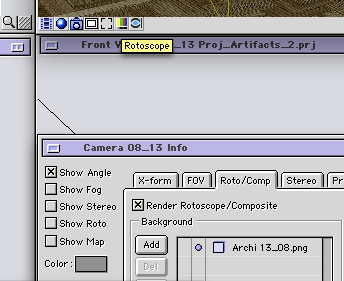
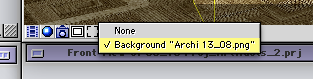
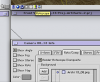
Ola James! Animator will display in the viewports the first diffuse texture in the stack of the Diffuse tab only. Do you want to see your background movie (Shot by your Camera) in the Camera Viewport? so, you need to add it in the Roto/Comp tab, background area: Then, in the Camera viewport, Rotoscope Icon, Choose the background you want to see: After that, If you want to see in motion, move your timeline with Option pressed in the keyboard, the Background movie will change over time... Hope that helps! Thanks Tom
-
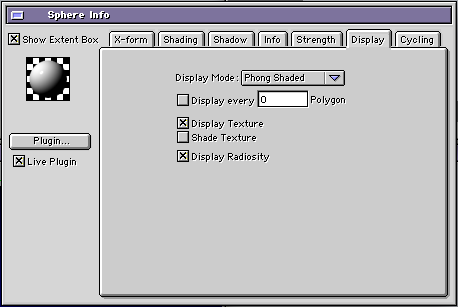
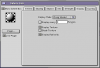
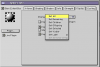
Ola, Welcome Back James!! You can see a texture applied in the model, so, it will guide you if the placement is correct and where its, but you cant see a clipped model in the viewports by a texture. Turn on the check box: Then with the right click of the mouse, you will see the contextual menu, you can choose all groups of the project to show textures. Dont forget to let all viewports in Hardware mode and Phong shade. Thanks Tom
-
Ola Kurt! Nice, thanks a lot for your update! Tom
-
Ola Maher, My vote is always keep the surprise, but I will discuss with the team.. Thanks Tom