Tomas Egger
-
Posts
3517 -
Joined
-
Last visited
-
Days Won
20
Content Type
Profiles
Forums
Events
Everything posted by Tomas Egger
-
Ola, I fully understand my friends, so, I can say right now, this year! Like Bwcc wrote, can be today or in the next 2 months. Thanks Tom
-
Ola Phungus! I dont like politics... Thanks Tom
-
Ola Phungus, I agree, so, the light is closer and the tunnel become a lot shorter! Thanks Tom
-
Ola Vincifr, The light is a lot closer... Thanks Tom
-
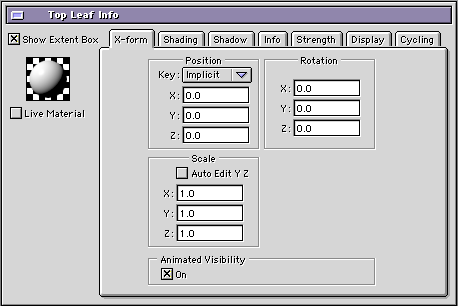
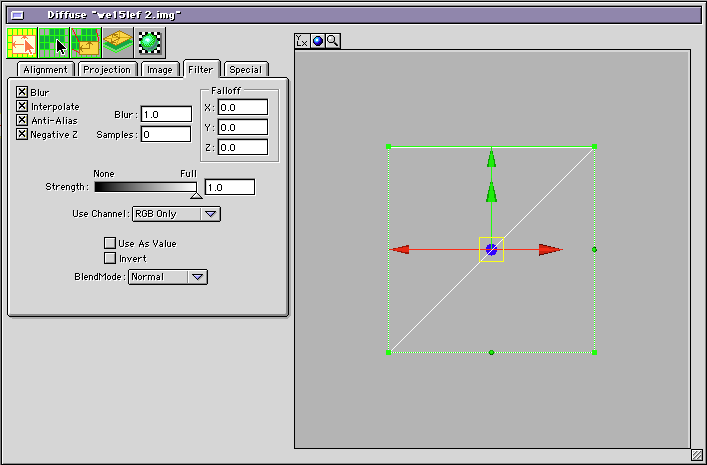
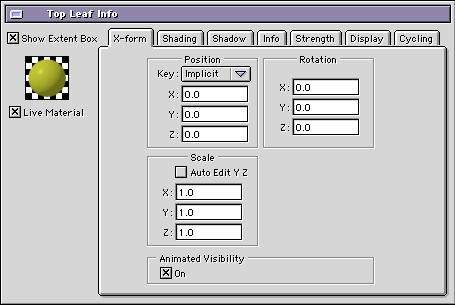
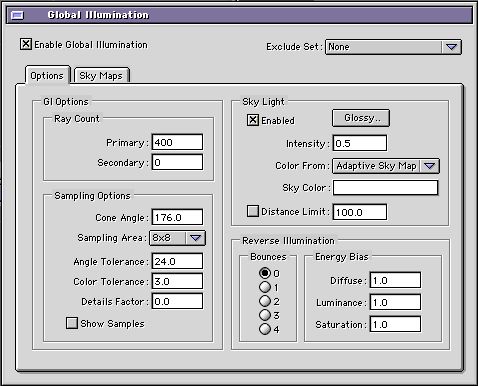
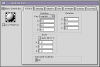
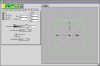
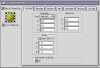
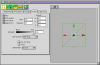
Ola David, The problem was simple, but hidden.. My Tip: Always try to simplify the project and minimize it to find the basic issue you want to solve. The render hit here are your trees (2 million polys) and the problem is not the GI, its the diffuse maps textures on the leafs only. Looking your project I saw: 1) All leafs textures had the “Live Material†turned off. 2) All leafs textures had no Samples. 3) Last Detail and really important, turn off the transparency maps on all leafs, I know, this is not correct, but in your case, its better. but it will make the “flick†disappear, using Trees which doesnt need “transparency†map will avoid this issue, Trees with modeled leafs, like Triangles. Since your Trees are really small, you will not need to change them and they will not flick now. The result rendering using Phong: War_Trees_No_Samp.mov So, changing these parameters: 1) Live Material ON 2) Add Samples, you can use the default samples, like 5.0. The result will be this: War_Trees_Textures.mov Projs Attached :) Projs.zip Now you can lower the GI settings and minimize the AA (4x4 1x1) since the problem was no GI related, you will have a faster render with better quality. Thanks Tom
-
Ola, Do you have Blaster? Mr Nitro will not interact with Rodeo, maybe use only Rodeo and hide a group which will collide on fractured model you want to explode. Thanks Tom
-
Ola, Enable the UV space on Ubershape User Interface and apply as diffuse, enable the UV data on Group info window too. Thanks Tom
-
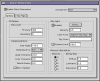
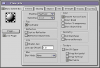
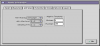
Ola David, Please, have enabled only one group in the project window which you have problems to render tests and use these settings: More Primary Rays, Higher Color Tolerance help with shadows flick. The last move here is decrease the Sampling Area from 8x8 to 4x4. (only if necessary, since it slow down the render changing the Sampling Area). Please, dont use Procedurals, try to use bitmap textures, procedurals flicks more. To improve AA as Joe wrote: You need to use the contextual menu on the group info window and change the Sampling to 2x2. And in the render window, change to 8x8 / 2x2. Hope that helps. Thanks Tom
-
Ola Andy! Need to test, probably it will work, but I guess Camera maybe it will have a problem. About 9, We are working like nuts here, waiting anxiously to release it! Thanks Tom
-
Ola Andy, No, this is a legacy Installer from the previous owner, only EIAS 8 and the new “in development†EIAS 9. Thanks Tom
-
Ola Dan, Only the Northernlights3D developer can answer it. http://www.northernlights3d.com/Pages/contact.html Thanks Tom
-
Ola Phungus, I saw this morning.. Thanks Tom
-
Ola Derryl! Good tip! Thanks Tom
-
Ola, Northernlights3d have LODe Stone http://WWW.northernlights3d.com/Products/products.html Thanks Tom
-

Lightwave Camera motion converter to EIAS
Tomas Egger replied to kikems's topic in EIAS General Forum
Ola! Wonderful Enrique!! Thanks Tom -
Ola Derryl, Im really glad you solved this issue without OBJ2FACT, lets change this workflow as soon as possible! Thanks Tom
-
Ola Derryl, For now, only OBJ2FACT can bring .obj files with .mtl materials and textures. Thanks Tom
-
Ola Joe, Thanks a lot for your kind words! We love EIAS and a built-in modeler is one of my personal dreams! Really Interesting phrase from Jobs, btw: Steve Jobs birthday was 3 days before me, Im a Mac fan since kid :) Thanks a lot Tom
-
Ola AVT!! Wonderful character commercial! Thanks Tom
-
Ola Frank! Really nice!! Thanks Tom
-
Ola Jeran, We are running to release as soon as we can, when it become available, we will have a link in our web-site download page. Thanks Tom
-
Ola Paul, Macintosh: OS 10.6.X or newer, Intel processor, 1GB RAM, 32-bit 3D Graphics card with at least 256MB of memory, USB Port Windows: Win 7 64 bits / XP 64, 1GHz or faster processor, 1GB of RAM, 32-bit 3D Graphics card with at least 256MB of memory, USB Port Thanks Tom
-
Ola Phungus, Transporter code is really old and slow, so, we decided to re-write inside EIAS the new importer. EIAS 9 will have a Demo version, if you still want to use EIAS 8, you will be able to import the models using the Demo and work in EIAS 8. Thanks Tom
-
Ola Vic, I just opened a EIAS 8 proj on EIAS 7, probably it is a specific feature or plug-in / shader error, need to try loading partially the Models, Textures and so on.. until he find the problem. Thanks Tom
-
Ola Thingmaker, No, we dont have How to roll back the code to EIAS 8, huge changes in EIAS 9, I suggest to have another HD or Partition with OSX 10.6.X Thanks Tom