Tomas Egger
-
Posts
3517 -
Joined
-
Last visited
-
Days Won
20
Content Type
Profiles
Forums
Events
Everything posted by Tomas Egger
-
Ola AVT! Awesome, EIAS users will be happy to learn CA using Ready Rig!!! Thanks Tom
-
Ola Alex!! Nice :) Thanks Tom
-
Ola Phungus! My answer in another thread: “Ola Thomo!! Camera 9 only works with Animator 9, since the lots of changes we did! Our last optimization is taking a lot more time than we predicted, thats the problem, we are trying to finish it asap and then fix the related bugs! but I cant provide exactly How many time to finish it. Thomo, Gigayoda and friends, we are anxious to release EIAS 9, believe me. Thanks Tomâ€
-
Ola Thomo!! Camera 9 only works with Animator 9, since the lots of changes we did! Our last optimization is taking a lot more time than we predicted, thats the problem, we are trying to finish it asap and then fix the related bugs! but I cant provide exactly How many time to finish it. Thomo, Gigayoda and friends, we are anxious to release EIAS 9, believe me. Thanks Tom
-
Ola Greg, Is it a full spherical .hdri map? please, post to us a render in .jpg format Thanks Tom
-
Ola Greg, The interesting way of work is have a High Res .hdri for Rotoscope, RT Reflection and Refractions and use a low resolution (blurred) for lighting, since the GI engine will sample anyway, having a lower resolution will speed up your render. Hope that helps Thanks Tom
-
Ola Rich! Totally true.. Felix we really want to update our tools asap. Thanks Tom
-
Ola Felix! Loon did a really interesting method... sure, exist lots of advanced systems for face movements, most of them, expensive, like Face Robot and so on.. bringing face animations inside EIAS as cache is a step, sure, a long road is needed to do what we dream, but at least, we started to change our future.. Thanks Tom
-
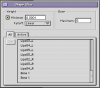
Ola Loon, If I understood well, Did you try to change the Skin engine from Power of 4 to Linear? Take a look: Thanks Tom
-
Ola Loon!!! Thats totally awesome.. let me look the project!! Thanks Tom
-
Ola Michael! Totally clear!! I remember a trick which was used in the past using negative lights too.. I need to try again.. Thanks for your tip!! Tom
-
Ola Michael!! Could you explain us step by step this new idea to improve contrasts using area lights with no shadow? Maybe a simple project showing us the trick too? :) Thanks Tom
-
Ola Michael! What do you mean “Dynamic†quadrant? I downloaded each single video, btw: only the “natural†version of them, which I can colorize it later in After Effects. Thanks Tom
-
Ola Michael! Click in each video name, then it will send you to Vimeo, there you will have a “download†button, get the bigger size with less compression. :) Thanks Tom
-
Nice Rich!! Worked great.. Thanks Tom
-

Architectural Animation - Shine On Brightwater
Tomas Egger replied to Buggsy's topic in EIAS Artworks
Ola Michael!! Congrats my friend! Tom -
Ola, Really good for nice backgrounds! http://marclorenz.com/timelapse-skies/ Thanks Tom
-
Ola, Just found this: http://xoio-air.de/2...rk-texture-set/ http://xoio-air.de/category/textures/ Thanks Tom
-
Hey Michael!!! Totally awesome!! Thanks Tom
-
Ola, From the master BANTA!!! tons of EIAS work. http://www.eias3d.com/category/gallery/electric-image-animation-system/ Thanks Tom
-
saving large texture maps in ".img" format
Tomas Egger replied to interstellar's topic in EIAS General Forum
Ola Joe! Are you using the EIAS photoshop plug-in? http://www.telegraphics.com.au/sw/product/EIFormat Thanks Tom -
Ola Michael!! You are learning fast and its becoming more and more better! CONGRATS!!! Thanks Tom
-
Ola Michael, Clear, so, Camera 8 reached the limit with Color Tolerance setting, lets wait Camera 9. Thanks Tom
-
Ola Kurt!! Yes, totally!! http://www.agraphafx.com/pages/AGreel.html Take a look Thanks Tom
-
Ola kjsjnapp, Exactly, Animator is not finding the Sentinel driver, please follow this link: http://www.eias3d.com/forums/topic/4676-need-help-migrating-to-lion-on-imac/ Thanks Tom