Tomas Egger
-
Posts
3514 -
Joined
-
Last visited
-
Days Won
20
Content Type
Profiles
Forums
Events
Everything posted by Tomas Egger
-
Ola Markus, We dont have plans to remove the dongle, for now :( We plan to release a DEMO version, which will be our first experience without the dongle. :) About handling huge amount of data, we handle better the data with our Animator 32bits with the improvements we did than some of our competitors which are already 64 bits cocoa, believe me. We are doing our changes, step by step, following our plans and we are going really fine. Lets see Thanks a lot Tom
-
Ola Ian, Good point.. I forgot the “FBX†trick :) Thanks Tom
-
Ola Mike, Wonderful :) Im here to help Thanks Tom
-
Ola Kish, Thanks a lot for you good words, its our first step to bring EIAS to modern age. We (Tomas & Igors), all the EIAS3D team (Dave, Ian, Stephane, Rick, Luis), Matt and all the awesome beta team, we are working like nuts, but its a pleasure. Thanks Tom
-
Ola Apu, Its why we changed everything in EIAS import system :) Please, send me the model, I will look How to make it work with Transporter. Thanks Tom
-
Ola Mike, Did you Log out and Log in? if not, please, do it. Thanks Tom
-
Ola David, All the times I needed to break glasses, I used Blaster, because my films needed to appear a explosion, Rodeo don't have a "bomb" energy, like Blaster or Mr Nitro. To model, I did Pre-cuts on EIM, worked fine with knive tools, I used once FormZ to do a broked wall glass, worked fine. Don't forget to create your models in a big scale, otherwise, Blaster or Rodeo will have prbs with small pieces of the glass and they will give you errors. Hope this help Thanks Tom
-
Ola Mike, Still not working? Thanks Tom
-
Ola Felix, Did you rest the Effectors?, maybe occurred a weird parent / child relation.. If you want, upload the project.. let me look. Thanks Tom
-
Ola Mike, Just posted :) http://www.eias3d.com/forums/showthread.php?tid=521 Thanks Tom
-
CreateUV is a freebie EI model plug-in to assign UV coordinates. It's NOT UV editor, the plug-in does not calculate intelligent UVs, it simply copies actual model or world coordinates to UV space. How to use CreateUV Link designed groups to the plug-in. Be sure "Use UV Space" is ON and "Normalize" is OFF for the plug-in group (Group Window, Shading Tab). All children group will be collected into one single plug-in output group, in Animator and Camera as well. Texture(s) should be assigned to the plug-in group, textures of children groups have no effect. IMPORTANT: save output (and then re-import) is strongly recommended. It can be a big pain if, for example, you first set normalization ON in plug-in interface and switch it to OFF. Animator does not handle UVs can be changed dynamically, even textures' removing/reapplying cannot help. Compatibility: EIAS7 & EIAS8 on both platforms (mac/pc) http://eias3d.com/WebDownloads/CreateUV.zip Thanks EIAS3D
-
Ola Steven, Wonderful resource!!! Thanks Tom
-

Status of Triple D shaders_A edge in EIAS 8
Tomas Egger replied to WHD's topic in EIAS Plug-ins and Shaders
Ola Larchuck, The Shaders are serialized to your dongle, so, the developer is the only one which can provide it.. :( About distributing, I dont want to promisse nothing.. lets see :) Thanks Tom -
Way of knowing if Renderama is set up correctly
Tomas Egger replied to S. Houtzager's topic in EIAS General Forum
Ola Rick, Cool Tip.. :) Thanks Tom -
Ola, Yes.. :) Thanks Tom
-
Ola, Just found this one, John Knoll talking about VFX and How he used EIAS in his films :) Thanks Tom
-
Ola, I just found a Synth Eyes article which EIAS was used for rendering. EIAS on the Moon in the IMAX Feature "Magnificent Desolation" :) http://www.eias3d.com/news/2864/ Thanks Tom
-
Ola Thomo, Great you figured out.. and good info to users. Thanks Tom
-
Messiah Dare to Share Challenge deal
Tomas Egger replied to splitpoint's topic in EIAS General Forum
Ola, Waiting to see users samples :) Thanks Tom -
...creating "water" in Electric Image
Tomas Egger replied to hillsville's topic in EIAS General Forum
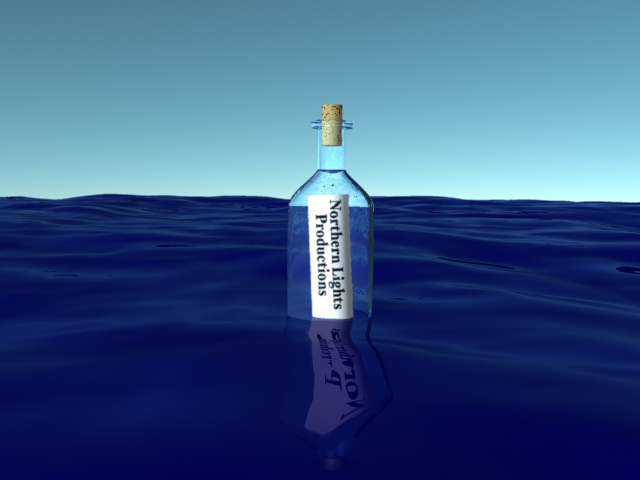
Ola Jake, Psunami (sample project from Northernlights3D) render... :) Thanks Tom
-
...creating "water" in Electric Image
Tomas Egger replied to hillsville's topic in EIAS General Forum
Ola, Dont forget, you can bring simulations using MDD or Northernlights3D Realflow plugin. Thanks Tom -
Ambient-type lights not obeying Illumination Lists
Tomas Egger replied to Juanxer's topic in EIAS 8.0.0
Ola Juanxer, please, post in our bug track system :) thanks Tom -
Help: new Imac now EIAS can't find dongle
Tomas Egger replied to mcarrel's topic in EIAS General Forum
Ola Mcarrel, "Hardware key error: key not plugged in #3" error message when try to run EIAS.†When appear a error like this :) but if you try to run in a windows machine, you will have the same error. Thanks Tom -
Help: new Imac now EIAS can't find dongle
Tomas Egger replied to mcarrel's topic in EIAS General Forum
Ola mcarrel, Inside our EIAS 8 installer, you will see the latest Dongle drivers to EIAS. http://www.eias3d.com/downloads/ If it not works, I presume you dont have a Dongle which (have the Mac side and the Windows side), so, you will not be able to run in the new machines, you will need to buy a new dongle which works in a Mac Intel. http://www.eias3d.com/buy-now/eias-electric-image-animation-system/ Thanks Tom -
Old ElectricImage articles or promo material
Tomas Egger replied to jakev's topic in EIAS General Forum
Ola Jake, Hmmm... so, lets first collect them? at least we will have a thread with our memories :) Thanks Tom