Tomas Egger
-
Posts
3517 -
Joined
-
Last visited
-
Days Won
20
Content Type
Profiles
Forums
Events
Everything posted by Tomas Egger
-
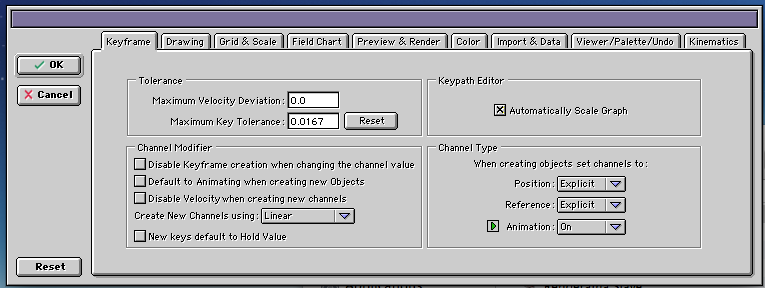
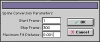
Ola Scott! Steps: 1) Your project need to have as default in the preferences, all created objects set channels to â€Explicitâ€, otherwise, you will be not able to change all groups at once to be baked, only manually one by one (btw: this is one of my own feature requests in the contextual menu). 2) Select all groups in the Project window 3) Go to Menu Bar / Animation / Fit Selected Objects to Curve 4) Use Maximum Fit Distance something like 0.001, it will tell to Animator to create one keyframe per frame in the bake, you can test yourself using 1.0 and see How few keyframes Animator creates. Thats it You will have all frames baked and you can drag them in the Project windows. Sample projects attached here, before and after bake. Bullet_bake.zip Thanks Tom
-
Ola Scott, I did not understand the doubt, Do you want to bake the Bullet simulation or bake the rendering? Thanks Tom
-
Hey Greg! Please, send me the project only with the plant and a 3d plane behind showing the problem. Thanks Tom
-
Ola Michael! In the hdrlabs website, you will find a application to convert HDR files on sIBL files (downloads) section. Our sIBL presets are in the EIAS website / downloads page. Thanks Tom
-
Hehe.. Tom
-
Ola Michael! Its a amazing and cool new feature (IBL). Steven? Could you help me explaning IBL? Thanks Tom
-

Desert Landscapes, Cactus', Mountains.... question
Tomas Egger replied to supernovavfx's topic in EIAS General Forum
Ola Michael! Why 2 hours? too long..! Thanks Tom -
Hey Joe! How did you find this?!! Haha... Its an really old award.. Lets want to win future ones :) Thanks Tom
-
Ola Brian! Thanks, please, keep us informed. Thanks Tom
-
Ola Brian! I haven't time to look yet, Did you have a really simple project showing the problem? Thanks Tom
-
Hey Frank! I liked, really nice, but I would like to see it rendered with Global Illumination, your product will become more realistic. We can think together I nice way to do that. Thanks Tom
-
Desert Landscapes, Cactus', Mountains.... question
Tomas Egger replied to supernovavfx's topic in EIAS General Forum
Ola Scott! Here our EXR sample project: http://dl.dropbox.com/u/10021583/tutorials/EIAS9_Tutorials/EXR2Mesh.zip Open the EXR Map on photoshop and change the color depth from 32 to 8 bits, you will see the real grayscale map. DEM Maps from Australia: http://www.ga.gov.au/scientific-topics/geographic-information/topographic-maps-data/digital-elevation-data How to convert DEM Maps to EXR files using blender. http://blenderartists.org/forum/showthread.php?294036-using-real-world-data-(DEM-files)-to-generate-3d-maps A Displacement map done with EXR using Photoshop will be like, top areas “white†with low areas “Grey scale fading to darkâ€. Another way Scott, you will need to sculpt in Zbrush for example. Thanks Tom -
development news or updates?
Tomas Egger replied to supernovavfx's topic in General Development and Updates
Ola! Come back Rich!!! hehehe Thanks Tom -
Desert Landscapes, Cactus', Mountains.... question
Tomas Egger replied to supernovavfx's topic in EIAS General Forum
Ola Scott, The EXR file is created in Photoshop, it's a greyscale map with a bigger bits depth, (high dynamic range of blacks and whites) Thanks Tom -
development news or updates?
Tomas Egger replied to supernovavfx's topic in General Development and Updates
Ola Joe!! Thanks a lot for your kind words! Really give me a lot of energy to improve more and more what we are doing!! We are doing a hard work on the next upgrade, we really hope to let our user base happier and happier! It's another complex upgrade in the works ;) Thanks Tom -
development news or updates?
Tomas Egger replied to supernovavfx's topic in General Development and Updates
Ola Burney! We are here to help! Feel free to message us anytime! Thanks Tom -
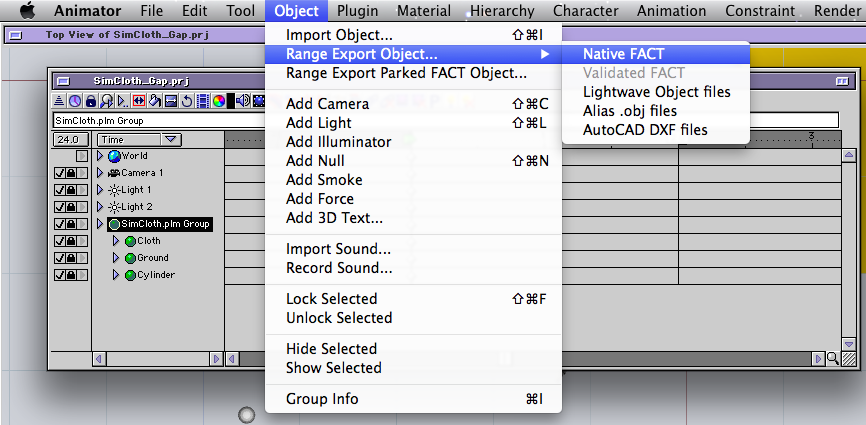
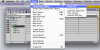
Ola Chris!! Its really simple, select the Flag plug-in in the project window and with “control†key pressed in the keyboard, go to menu bar / Object / Range Export or Range Export Parked.. Hope that helps Thanks Tom
-
development news or updates?
Tomas Egger replied to supernovavfx's topic in General Development and Updates
Ola Burney! Unlock code sent! sorry, but I can't generate a “expiration†register for a plug-in :( Enjoy EIAS 9.1!!! Thanks a lot Tom -
development news or updates?
Tomas Egger replied to supernovavfx's topic in General Development and Updates
Ola Michael! Don't forget EIAS can display up to 8 textures in layers per group including alpha channels and blending modes ;) And which I personally love is the ability to add a movie as texture and when you scrub in the timeline with option pressed, you see the animation previewing in realtime depending of the complexity of the scene ;) Thanks Tom -
development news or updates?
Tomas Egger replied to supernovavfx's topic in General Development and Updates
Ola Burney! I understand your points :) It was our first upgrade after a decade of slow development from the previous owner. But don't worry, EIAS 9.5 will be better...! one upgrade will be great to support our efforts. Thanks Tom -
development news or updates?
Tomas Egger replied to supernovavfx's topic in General Development and Updates
Ola Burney! Hehe.. no, we are still doing complex changes :) Thanks Tom -
development news or updates?
Tomas Egger replied to supernovavfx's topic in General Development and Updates
Ola Burney! Lots of things to do on EIAS 9.5 :) We give only a free upgrade to a user when its next to our release date..! Thanks Tom -
Ola Michael! Here it is XP for Mac: XP.zip Thanks Tom
-
Ola Scott! Fiber forge was a David Argemi product, we don't have acess to it, I hope Blair solve the Placer Deposit on Windows asap as Thomo mentioned, but a instancer system is in our to do list, but right now, we have a good amount of priorities. Thanks Tom
-
Ola Felix! For now, I can say we are doing more mixed changes, Complex changes on Animator, optimizations, new features.. and so on. Thanks Tom