


Tomas Egger
-
Posts
3517 -
Joined
-
Last visited
-
Days Won
20
Content Type
Profiles
Forums
Events
Everything posted by Tomas Egger
-

Is the Proxy plugin still available anywhere?
Tomas Egger replied to spleeve's topic in EIAS Plug-ins and Shaders
Ola Michael, Hope its what you are looking for, please, look the manual: http://www.eias3d.com/products/konkeptoine-plugins/proxy/ Thanks Tom -
Upgrading Konkeptoine’s Conception Three shade
Tomas Egger replied to robertb's topic in EIAS Plug-ins and Shaders
Ola Robert, Just sent you a private message with David’s personal email. Thanks Tom -
Is the Proxy plugin still available anywhere?
Tomas Egger replied to spleeve's topic in EIAS Plug-ins and Shaders
Ola Mickael, Sorry, we will put “$†on all plug-ins.. Thanks Tom -
Is the Proxy plugin still available anywhere?
Tomas Egger replied to spleeve's topic in EIAS Plug-ins and Shaders
Ola BJ, Good catch!!! we will fix it we will put $50.00 Thanks Tom -
Is the Proxy plugin still available anywhere?
Tomas Egger replied to spleeve's topic in EIAS Plug-ins and Shaders
Ola Michael, Sorry for my delay, Just posted!!! http://www.eias3d.com/products/konkeptoine-plugins/ Thanks Tom -
Ola Yhloon? Any news? worked? Thanks Tom
-
Ola Yhloon, You are having a problem because of Windows 7 (UAC) - User Account Control, which don‘t allow EIAS Animator to run. Please, follow this link, which teach you How to disable Windows 7 and Windows Vista (UAC) making EIAS works fine. http://www.howtogeek.com/howto/windows-vista/disable-user-account-control-uac-the-easy-way-on-windows-vista/ Thanks a lot Tom
-
Ola, Thanks my friends Tom
-
Ola S. Appears weird, but I use Rocker shader from Konkeptoine to give me some “slimy wet†look, applied on my material Specular tab. http://homepage.mac.com/tegger/PhotoAlbum2.html I used it to make my Bee and my Cockroach. Thanks Tom
-
Ola Bakedmedia, Download EIAS 8.0 Mac Install and replace only the Animator, Camera, Renderama and Renderama Slave. Thanks Tom
-
Ola Bakedmedia, Wonderful! Dont forget to get EIAS 8 with our splash screen!!!! http://www.eias3d.com/news/eias-8-new-splash-screens/ Thanks Tom
-
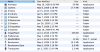
Ola Bakedmedia, 1) Are running any Anti-virus system on your Mac? 2) Take a look if you have some privilege problem in your Applications folder 3) Did you rename Camera application? 4) You can‘t have EIAS 8 Folder renamed with special characters like “/â€, because of the UNIX system. This is the EIAS 8 folder Hierarchy: Thanks Tom
-
Ola my friend, EXCELLENT!!! Thanks Tom
-
Ola Rick!!! You are AMAZING!!! Thanks Tom
-
Ola my friends, David film is already posted in a larger size. http://www.eias3d.com/gallery/ Thanks a lot David. Tom
-
Camera Map and Model animation... Teaser Trailer.
Tomas Egger replied to Whatever's topic in EIAS Artworks
Ola my friends, Project Arbiter Teaser Trailer is posted in our Vimeo Channel and website. Thanks a lot Jason!!! Tom -
Ola Aziz, This is a film which I made the smoke trails with Power Particles.. http://vimeo.com/channels/eias#12699451 Thanks Tom
-
Is the Proxy plugin still available anywhere?
Tomas Egger replied to spleeve's topic in EIAS Plug-ins and Shaders
Ola, Docs and files ready, finishing the website setup.. I will message you.. :) Thanks Tom -
Attaching master materials before export
Tomas Egger replied to GeordieJames's topic in Features propositions / Ideas
Ola Nutley, Feel free to ask us.. EIAS have lots of easy ways to do each task. Thanks Tom -
Ola Nutley, REALLY WELL DONE!!! Thanks Tom
-
Ola Paul, I’m sorry, but we don't have any access to that forum, was a surprise to everybody in EIAS3D team when the website was turned off without any previous info. Feel free to ask any doubt, we are here to answer. Thanks Tom
-
Is the Proxy plugin still available anywhere?
Tomas Egger replied to spleeve's topic in EIAS Plug-ins and Shaders
Ola my friends, Totally True!!! I missed that.. let me run to add Proxy!!! Thanks Tom -
Is the Proxy plugin still available anywhere?
Tomas Egger replied to spleeve's topic in EIAS Plug-ins and Shaders
Ola Michael, Your promised news :) http://www.eias3d.com/forums/showthread.php?tid=377 Thanks Tom -
Ola my friends, We are please to announce that EIAS3D is now developing, supporting and selling the following core group of tools formerly distributed by Konkeptoine. http://www.eias3d.com/products/konkeptoine-plugins/ http://www.eias3d.com/buy-now/konkeptoine-plugins-and-shaders/ All users are invited to take a look on Konkeptoine samples. Lets make EIAS more and more robust!!!! Thanks EIAS3D team
-
- 2
-

-
Is the Proxy plugin still available anywhere?
Tomas Egger replied to spleeve's topic in EIAS Plug-ins and Shaders
Ola Michael, I will have info really soon.. :) Thanks Tom
