Tomas Egger
-
Posts
3514 -
Joined
-
Last visited
-
Days Won
20
Content Type
Profiles
Forums
Events
Everything posted by Tomas Egger
-

Cannot activate UV space in material editor
Tomas Egger replied to ShaddamIV's topic in Technical issues
Ola Shaddam! Please, upload your model. The obj. with the .mtl file and textures. Thanks Tom -
Ola Greg! No answer from the developer yet ;( Thanks Tom
-
Ola! We didn't improve the export system in EIAS 9.1, so, it's in our to do list. Thanks Tom
-
Ola Reuben! Click in the diffuse tab and check the box to show the original color. Thanks Tom
-
Ola Reuben, Are you sure you following the steps? Thanks Tom
-
Ola Reuben! Look the manual, you can do vertex painting in EIAS 9.1, you don't need amorphium ;) Thanks Tom
-
Ola Scott! Congratulations!!! Thanks Tom
-
Ola Guy! Awesome! We will be waiting! Thanks a lot Tom
-
Dongle problems in INTEL Mac
Tomas Egger replied to FelixCat's topic in General Development and Updates
Ola Felix! The forum account is different than the website one, if you have problems, please, create a new one in the website. Thanks Tom -
Dongle problems in INTEL Mac
Tomas Egger replied to FelixCat's topic in General Development and Updates
Ola Felix! You will need to go to our web store and buy a replacement dongle ;) Thanks Tom -
Dongle problems in INTEL Mac
Tomas Egger replied to FelixCat's topic in General Development and Updates
Ola Felix! Sorry, but the new Dongles are only for new Mac/Win Intel machines. :( Thanks Tom -
Ola Guy! Could you add the Marvelous process on the video tutorial? or Could you do another one to explain the process? Thanks a lot Tom
-
Dongle problems in INTEL Mac
Tomas Egger replied to FelixCat's topic in General Development and Updates
Ola Felix! Download EIAS 9.1 installer and use the provided dongle installer inside it. Thanks Tom -
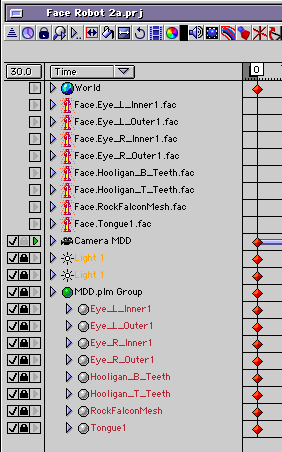
Ola Guy! Ah, so its a limit in the exporter, I exported from XSI which separate all the files per group, clear now. Thanks Tom
-
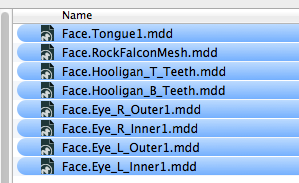
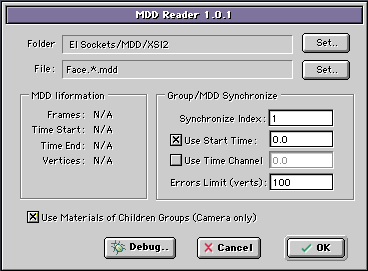
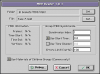
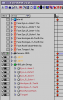
Ola Guy, You wrote, if you export several MDD files from each .obj and in the MDD user interface use something like the first name of the MDD file Mike*.mdd, the * will represent all files which include Mike name in the begging + the mdd file which represent one of the obj + .mdd Is it not easier? Thanks Tom
-
Ola Guy! I loved!! Im wondering, what happens if you connected all .obj in only one MDD and ask MDD to load your unique file? Doesn't work? Thanks Tom
-
I'm buying a new mac primarily for EI
Tomas Egger replied to supernovavfx's topic in EIAS General Forum
Ola Scott! An Example, 32k cubes simulation: Thanks Tom -
I'm buying a new mac primarily for EI
Tomas Egger replied to supernovavfx's topic in EIAS General Forum
Ola Scott! If you use Kurt's trick for simulation, you will be able for sure and Camera will render with no problem. But don't forget to check the Activity Monitor on your Mac, maybe it's not memory, maybe it's a bad geometry making bullet crash, but to be honest, I don't remember seeing bullet crashing. Btw: I personally did huge amount of groups simulations, I don't know if it's memory. Thanks Tom -
I'm buying a new mac primarily for EI
Tomas Egger replied to supernovavfx's topic in EIAS General Forum
Ola Scott! 64GB helps Camera for now a lot! but still not help Animator, since it still 32 bits (Its in our to do list), but I can't share our plans :) You can open the Mac Utility folder / Activity Monitor and look when Animator quit, if it loads more than 2.5GB of Ram, it will close for sure (we optimized a lot EIAS 9.1 to run at maximum using 32 bits btw). Thanks Tom -
I'm buying a new mac primarily for EI
Tomas Egger replied to supernovavfx's topic in EIAS General Forum
Ola Scott and Brian! Please, Download these scenes from EIAS Benchmark and post your results with Machines specs, it will be easier to compare. http://eias.groothuis.com EIAS 9.5 have even more optimizations and a lot of new code, it will benefit from New and old Macs / Pcs. We didnt finish yet the features additions, so, I can't share exactly if it will benefit even more from the new power of Mac Pros. It already runs a lot better with new video card, lets see what will happen when we add all the planned features we have. Thanks Tom -
I'm buying a new mac primarily for EI
Tomas Egger replied to supernovavfx's topic in EIAS General Forum
Ola Scott! Only a detail, try to buy a SSD drive, Helps a lot in both machines. Im running the new mac pro with 12 cores, SSD drive and the better Video card option. EIAS 9.1 have lots of benefits running on it, but the next upgrade will love these machines even more :) Thanks Tom -
Ola Scott!! CONGRATS! Want to see it too :) Thanks Tom
-
Ola Guy! Didn't know the quality of Marvelous cloth simulation, are you using version 3 or 4? Please, do a video tutorial and some High Quality 3d render tests in EIAS with cool light and Anti-Alias? I really would like to post all. Thanks Tom
-
Guy! No problem with English!.. EIAS is a international software :) Doubts, probably you added the Motion Capture inside DAZ, from Mixamo, I suppose? Then you exported as MDD to EIAS, correct? The cloth simulation was done inside DAZ? The Cloths were done in Marvelous Designer, correct? Thanks Tom
-
Ola Frank! Really cool! I liked the dynamics!!! Thanks Tom