Tomas Egger
-
Posts
3517 -
Joined
-
Last visited
-
Days Won
20
Content Type
Profiles
Forums
Events
Everything posted by Tomas Egger
-
Ola Mark! send me this link later please, Merry Xmas and Happy new year! the new EIAS big upgrade is taking shape! We are really happy with it ;) thanks tom
-
Ola Mcarrel, We just posted! The recent OS X doesnt allow users to modify the frameworks folder, we just solved, thanks everybody for your reports! Thanks tom
-
Ola my friends,OSX El Captain Dongle Installer is ready! EI Captain OSX Dongle Installer ThanksEIAS3D
-
 Ola! Glad you solved.. We hadn't time yet to prepare a new installer, working as crazy in the new upgrade. Thanks Tom
 -
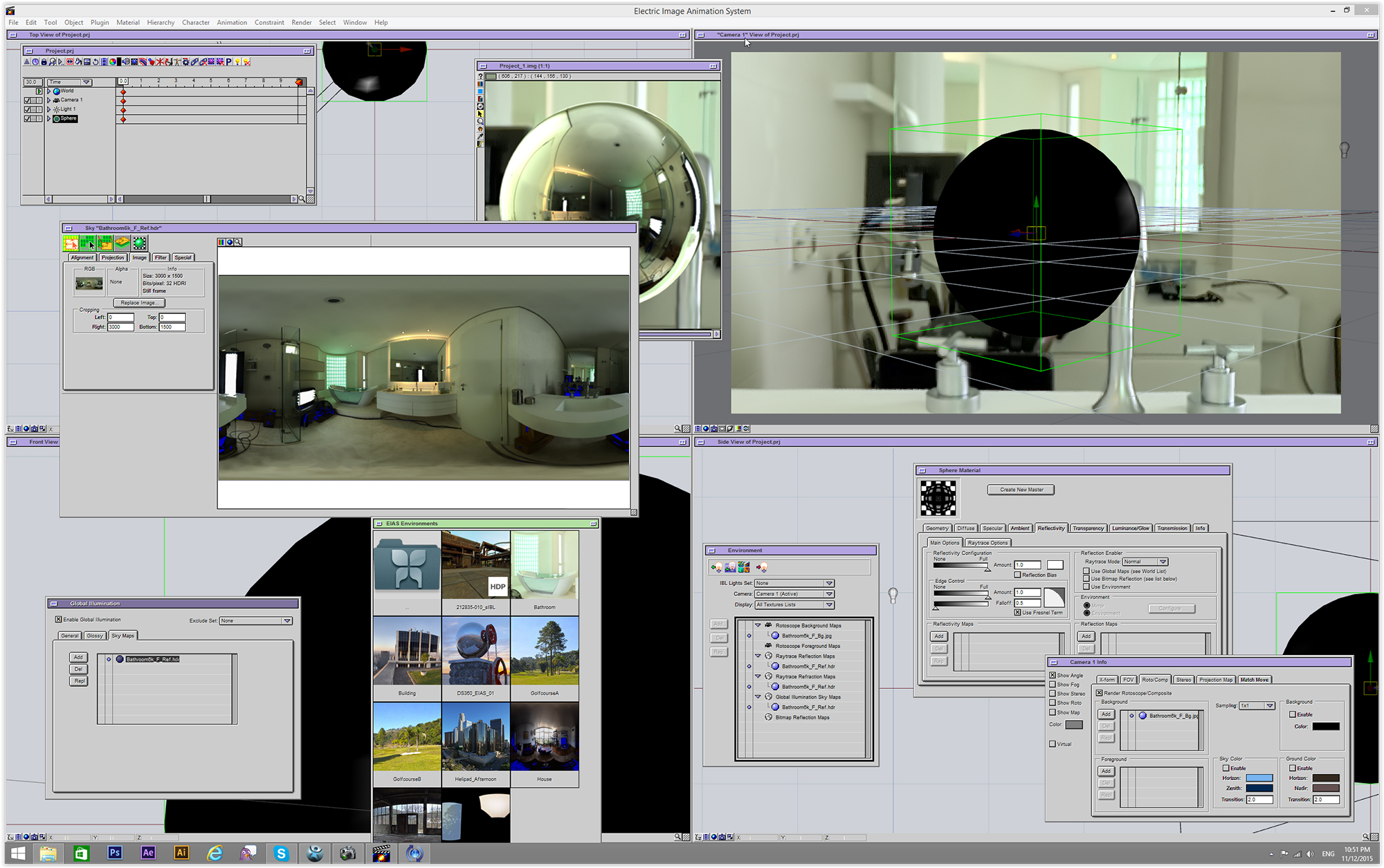
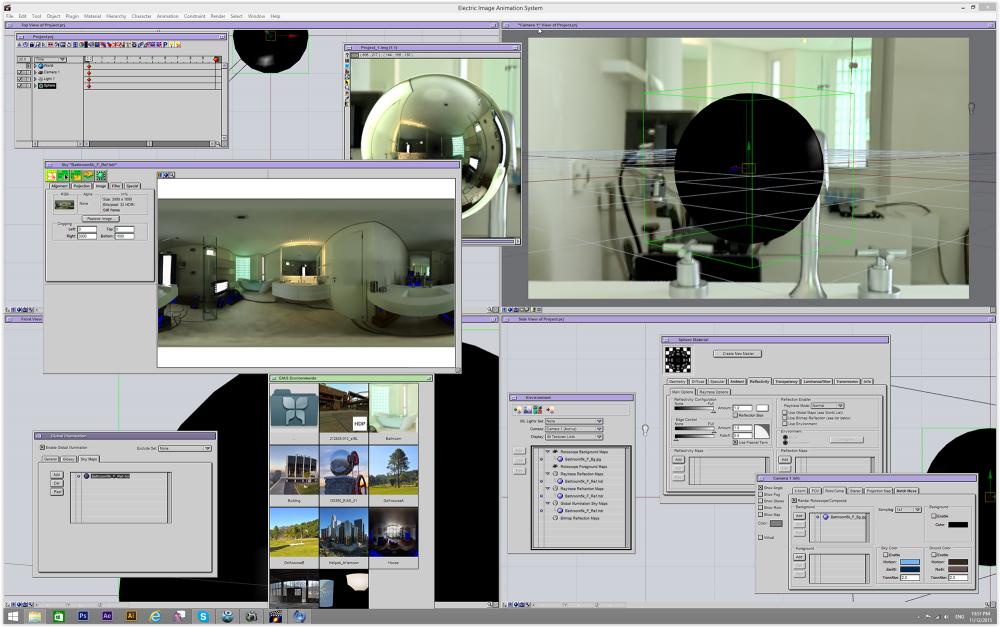
Ola Greg! Here.. its sIBL which come with EIAS, 6000x3000, rotoscope, Raytrace, Adaptive Sky Map…Viewports working fine, Material Window opened, Render done.. Btw.. If am I not wrong Quicktime player on the windows side (which was discontinued by Apple) have a limit to display a bigger size If I remember well.We are looking a replacement. Could you be more specific? Thanks Tom
-
Ola Greg! Please, Send me a simple project link now and I want to see in my PC if its crashing. Thanks Tom
-
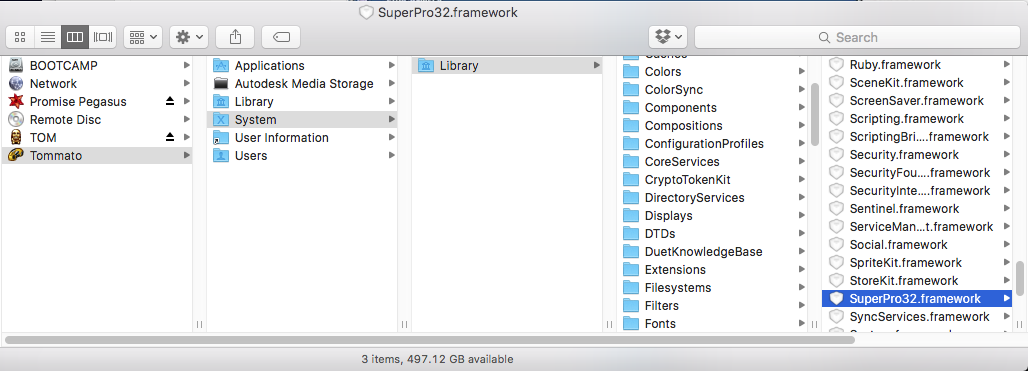
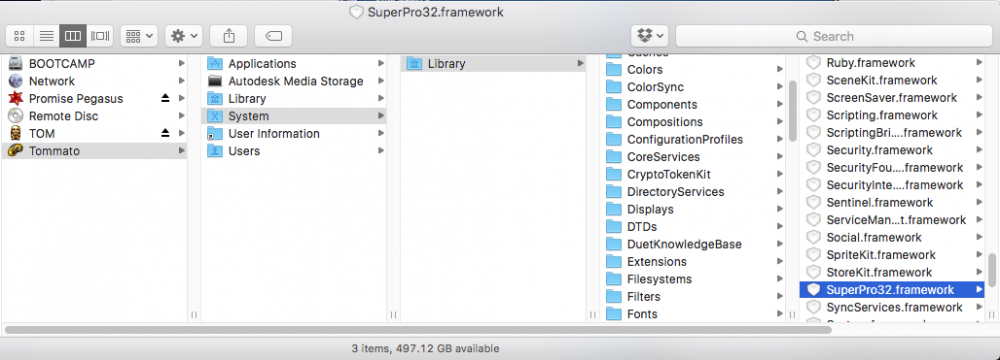
Ola Sascha! Sorry my huge delay to answer! Animator is missing one of the Dongle frameworks: Dyld Error Message: Library not loaded: /Library/Frameworks/SuperPro32.framework/Versions/A/SuperPro32 Referenced from: /Applications/EIAS 9.1 Demo/Animator_Demo.app/Contents/MacOS/Animator Reason: image not foundThats it, here, the Path and the files to be placed inside Framework folder. Dongle.zip Thanks Tom Dongle.zip
-
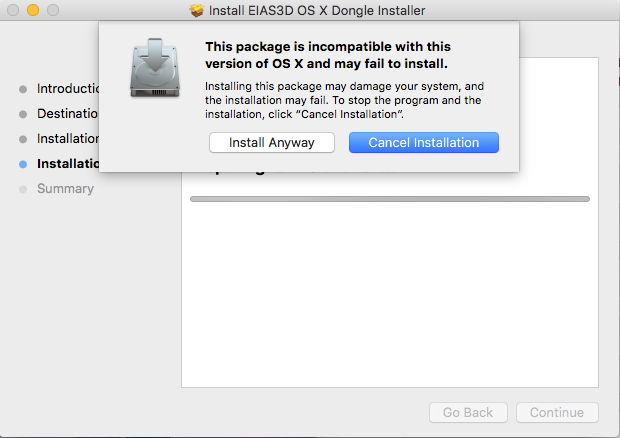
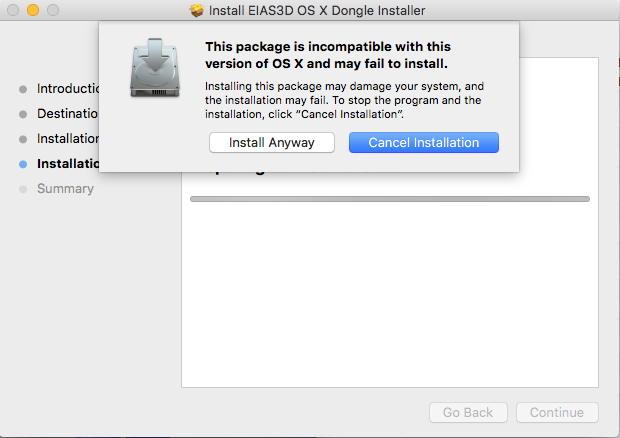
Ola Sascha! Did you see this image? I just noticed too, thanks for your report, install anyway. I installed and worked fine, the dongle installer and the EIAS 9.1 Demo, Im running in a new Power Mac, OS X 11.1 Any doubt, please, msg me. Thanks Tomas Egger EIAS3D team
-
Ola Gabe! could you post here what you are talking about? thanks tom
-
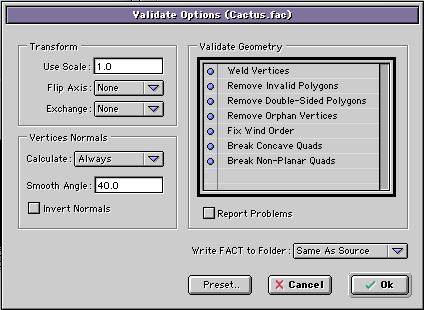
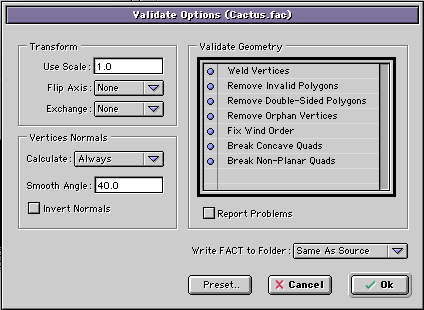
Ola Gabe! You need to chose only Validated FACT. second, try to find which options in the FormZ Fact export are making the bad geometry. thanks tom
-
Ola Gabe! Several, Silo, FormZ, EIM.. You need to test a few export options in FormZ and see if its one which is exporting a bad geometry version, it works fine with Phong render? Did you try in the Animator Menu bar / Object / Export Object / Validated FACT? it will export and re-import automatically your model to fix bad geometry, don't forget to change the Calculate Pop-up to Always, it will fix your normals. Thanks Tom
-
Ola Dieguito! imagine, each polygon of the hemisphere represent one area light, so, if you increase the subdivision, you have more and more area lights next each other, giving the shadows more definition and better bumps in consequence, understand? so, in my particular case I needed to balance the hemisphere subdivision and the amount of polygons in my scene, the full scene had 10 million polys I guess, need to check again ;) thanks tom
-
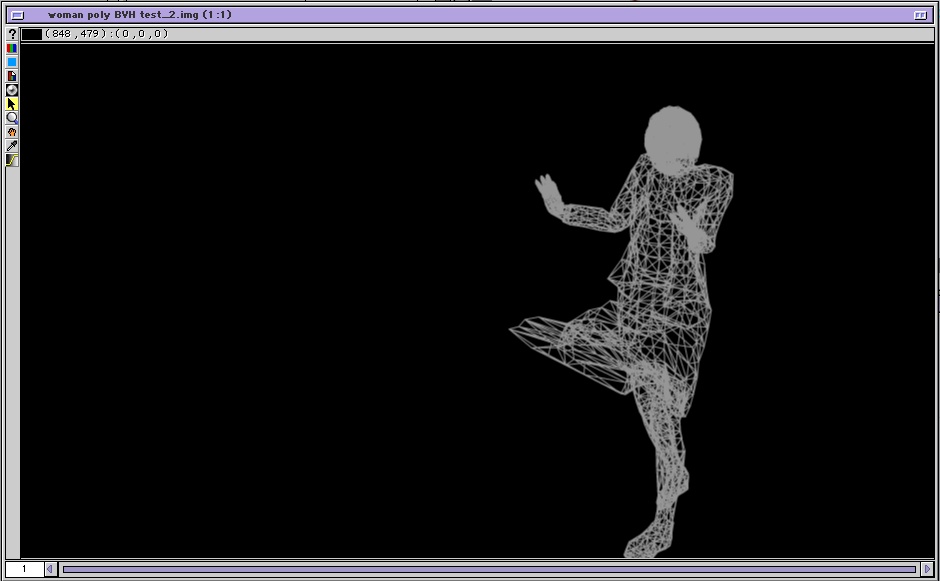
Ola, Just rendered a wireframe here.. everything fine, my guess, a bad geometry exported from FormZ. Thanks Tom
-
Ola! please, collect a simple project and zip the file. upload here or send in my email, I guess the FormZ export have some issue, since Camera is not supposed to crash in wireframe mode. thanks tom
-
Ola Scott! Next upgrade is better than 9.x :) Its a powerful upgrade, a full focus in Animator :) and some candies for Camera. Thanks Tom
-
Ola Diego! The main difference about my setup and Adaptive Sky Map is: I have bounced colors in the groups of my scene, Adaptive Sky Map doesn't do that. And pay attention in the Sun light / Photon tab / Energy Bias, the default is 0.65 and I am using 0.9, this increase the bounced color. Second, Making Parallel light (Sun) bigger, Size U and V (emission area), also improve the Bouncing color. All these tricks make the render more realistic. Hope that helps Thanks Tom
-
Ola Dieguito! Thanks a lot for your kind words! Here my setup, its a simple Dome Light, a Object light illumination based on Photons. Hope that helps Thanks Tom DOMElight_v2.zip
-
Ola Dieguito, My guess, Greg found a particular bug. Thanks Tom
-
Ola Mark! thankssss tom
-
Ola, This is a music video clip I did for two George's, my father, a great Brazilian art director which opened my mind for visuals and when I was 8, introduced me to another George, the one which made me dream with Sci-Fi and Fantasy. All done with Electricimage, After Effects and Photoshop. Hope you like my humble way to say "thanks" to both George's. Tomas Egger https://vimeo.com/eias3d/troopers
-
Ola Brian! zipped mouth ;) let's see!! Greg, I know you are in Windows, which in my personal opinion give more Probs than Mac OS, but are you sure Animator is crashing because it's 32 bits? Really need a huge amount of Data to crash Animator, a lot more than 10million polys in Mac OS. maybe you found a constant bug? lets try to discover why? in the project which crash, look the statistic window and send me, after that find a reproducible step by step to make Animator crash! I am almost sure it's a simple bug than a memory limit. thanks tom
-
Ola Brian! - Animator 64 bits will allow users to handle a huge amount of data in the main application, the limits will be your hardware ram. - lets remember one of ours EIAS3D main goals, bring new built-in tools which don't rely in 3rd party tools. - the 3rd party tools which we support will be updated to 64 bits too, not only for rendering, which many of them already are. thanks tom
-
Ola Greg! I don't comment features release time. Our priority now is release the new upgrade ;) thanks tom
-
Ola Greg! You know the answer! Animator 64 bits is important ;) thanks tom
-
Ola Greg! We will need to discuss with Igors.. thanks tom