Tomas Egger
-
Posts
3517 -
Joined
-
Last visited
-
Days Won
20
Content Type
Profiles
Forums
Events
Everything posted by Tomas Egger
-
Ola Vic! You cant save, cant use 3rd party Plug-ins/Shaders, cant render animations and cant use Rama. Thanks Tom
-
HiDynamic Productions is the source for 3d environments created for offline rendering and interactive real-time applications. New Partner - HiDynamic Productions - Website HiDynamic Productions Free scene - Link Thanks EIAS3D team
-
Ola Vic! Nice, EIAS 9 have new interesting tricks to light and make the renders more and more realistic. These are direct renders from Camera: Camera 9 Any doubt, feel free to message me.. Thanks Tom
-
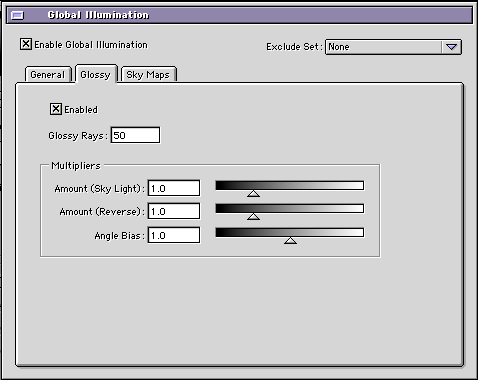
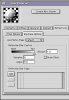
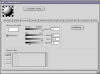
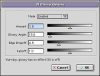
Ola Vic, Now, you have 2 options to blurred reflections: First: (Reflection Blur) Group Material / Second tab of “reflectivityâ€, Raytrace Options / Reflection blur Control / Reflection Blur is interesting when the Angle is small, otherwise the render time will be really slow. Second: (Glossy Dull reflections), the group doesnt need to have reflection in the material: 1) Group Material / Specular tab / click in GI Glossy (“dull reflectionsâ€) Big reflection Angles 2) Enable it, You can use bigger Angle sizes. 3) Enable it on GI Window Thats it, Glossy is faster than Reflection blur for special cases, like Big reflection angles. Projects attached, please, render both, GI Glossy and GI reflex: GI_Glossy.zip Hope that helps Thanks Tom
-
Ola, Take a look if in the Clip Map special tab of the “leafs†you have 1.0, if yes, use only 0.0 Second, if not, send me the proj: tom@eias3d.com Thanks Tom
-
Ola Brian! In the reply button here, choose “More Reply Optionsâ€, you will able to upload a .zip file and attach in the post.. Thanks Tom
-
Ola Brian! Could you upload a simple sample project for me? Thanks Tom
-

what would the solution be for spline dynamics?
Tomas Egger replied to Brian's topic in EIAS General Forum
Ola Brian! Here the Cable Craft samples and render using EIAS 9: Cablecraft Sample 2.mov Cablecraft 2 Projects.zip Here a project done with Bones and Bullet using the 2 Animator Skin engines, the older skin engine can make a tube more fluid. EIAS9_Bullet+Bones.zip Hope that helps! Thanks Tom -
Ola Al, Do you need a Volumetric render in 3D? Thanks Tom
-
can anyone explain the difference between Bullet and Rodeo
Tomas Egger replied to supernovavfx's topic in EIAS General Forum
Ola Scott, Bullet is based in a new simulation code, its faster, more precise and can handle tons of thousands of groups in Animator interface, it can be expandable in the future with new features, like Soft Body, Cloth, Fractures... Since Bullet works with animated mesh, I see Simcloth working with Bullet. Thanks Tom -
Ola Mark, We have users which need to compose in Photoshop, its why we implemented. Because Raytrace doesnt allow this for “shadow Mask†with GI Skylight, we will need to study some special shader to be applied in the “floor†to extract these type of shadows. Thanks Tom
-
Ola Mark, Open and render the PSD project using “GOâ€, not a snap shot. Open the PSDComposite-Layers_0000.psd in Photoshop, you will have a already composed groups on the background with shadows using Layers. Thanks Tom
-
Going from FormZ 7 to EI v9 with texture maps
Tomas Egger replied to S. Houtzager's topic in EIAS General Forum
Ola S, Same problem with EIAS 7, I will add in our list here, lets see whats wrong, if its a FormZ export problem or not. Thanks Tom -
Going from FormZ 7 to EI v9 with texture maps
Tomas Egger replied to S. Houtzager's topic in EIAS General Forum
Ola Steven! Same problem in EIAS 8 and EIAS 9, in the Material window of each group, you need to use the replace button, but the textures are not coming correct placed, How are they placed in FormZ? As soon I have time, I will try EIAS 7 or EIAS 6.6 Thanks Tom -
Going from FormZ 7 to EI v9 with texture maps
Tomas Egger replied to S. Houtzager's topic in EIAS General Forum
Ola Steven! I heard from another use about this problem on new FormZ export, please, contact formZ Support <support@formz.com> And send me the project too. Thanks Tom -
Ola Mark! To convert a folder, open the folder and select all .OBJ files, Animator will do a batch conversion :) Thanks Tom
-
Ola Rich! Nice mustache :) Thanks Tom
-
Ola Frank! If I can help, it will be a pleasure :) Thanks Tom
-
3D model of an Auto-Gyro GmbH Calidus for paint tests
Tomas Egger replied to maher's topic in EIAS 9
Ola Maher, Really cool!! Waiting to see it fly!! Thanks Tom -
Ola Michael, Even with my tips to make the reflections / refractions improved, you will have: EIAS 8 - 12 h 38 min 20 sec (single thread) Vs 13 min (8 threads) = 58 times faster And with Transparencies using the old method which is even more faster EIAS 8 - 12 h 38 min 20 sec (single thread) Vs 9 min (8 threads) = 84 times faster EIAS 8 is really really slower, even using one core against one core, probably is 10 times faster or more, which is amazing, dont you think? Simple test: Get the Demo and render this project: http://www.eias3d.co...9-optimization/ We have here 120 times faster difference with 8 cores. Thanks Tom
-
Ola Frank! Here it is: PowerParticlesPro2.0 Manual.zip In theory, you can choose only one frame to render. Thanks Tom
-
Which plugins have been updated to 64bit to date?
Tomas Egger replied to bbuxton's topic in EIAS Plug-ins and Shaders
Ola Brian! We will probably change the newer plug-ins/shaders first, which is faster to us make them 64. Then we will work in the others, as soon I have more info, I will post them. Thanks Tom -
Ola Rich!! Awesome!! Thanks Tom
-
Ola, 1 core against your 8 cores, EIAS 9 vs EIAS 8 is almost 72 times faster :) Thanks Tom
-
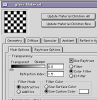
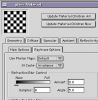
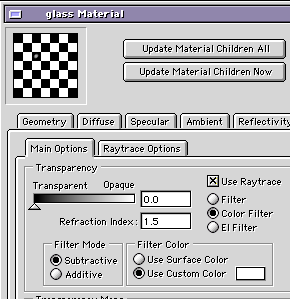
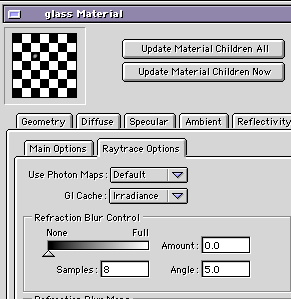
Ola Atlantis! About reflections difference (v8 and v9), you made your light and GI window use Irradiance, but your glass material is not using it. It will render slower, but you will achieve a better transparency, reflection and refraction. Go to Glass transparency tab, Enable “Use Raytrace†check box (it was already checked), but.. In the Raytrace Options tab, change the GI cache, from “Layers†to “Irradianceâ€, thats the final trick. Here your simple project changed attached: snapshot.zip Note: This is the trick we use now to have GI + Clipping maps amazingly fast, the “leafs†of Trees with clipping maps, need to have Raytrace check box enabled in the Transparency tab and GI Cache as Irradiance to render as a rocket :) Hope that helps Thanks Tom