Tomas Egger
-
Posts
3517 -
Joined
-
Last visited
-
Days Won
20
Content Type
Profiles
Forums
Events
Everything posted by Tomas Egger
-

EIAS v10 current development!
Tomas Egger replied to Tomas Egger's topic in General Development and Updates
Ola Paul! Its his wish, sure, Im personal wish is a poly modeler built-in too :) Thanks Tom -
EIAS v10 current development!
Tomas Egger replied to Tomas Egger's topic in General Development and Updates
Hey Jeff! Interesting post! btw: As you know, I am an EIAS user too! so, since we do lots of TV ads and VFX. our goal is bring EIAS asap "into the 21st. Century" as you wrote hehe.. I hope we will please, lots of request from our user base! Including you of course :) Yes, we are a small team with a lot of passion to EIAS, trying to be clear about what took so long on this upgrade, some important changes we did, generated a "cascade" effect, pushing us to re-write from scratch more and more the old code. And recent external changes from Apple added more delay on our side, Apple killed 32 bits apps, Apple killed Quicktime on Windows and a lot more.. so, we had a balance between big code changes, new features to make us and the user base happy, lots of optimizations to show we are faster and easier than the other apps for sure :) Our goal after v10: make smaller upgrades to be always in contact with our user base, hearing all demands and make always EIAS fresh! Thanks a lot Tom -
Ola my friend, Just tried to send you a email back, but the message returned with an error from your server :( I sent again using another email :) Thanks Tom
-
Best Depth of Field (DOF) method.
Tomas Egger replied to visualcomms@gmail.com's topic in EIAS General Forum
Ola my friend! Here :) You will use the FOG Trick, take a look in the video. EI DoF Lens Blur Here the sample projects. DEPTH_EI.zip Thanks Tom- 1 reply
-
- 1
-

-
Deal :)
-
camera app for v.9 of eias...?
Tomas Egger replied to visualcomms@gmail.com's topic in EIAS General Forum
Ola Zig! Why do you need to quit Animator when Camera launches? :) Thanks Tom -
camera app for v.9 of eias...?
Tomas Egger replied to visualcomms@gmail.com's topic in EIAS General Forum
Ola Zig! Are you using EIAS 9.1, right? not 9.0 :) Double click on Camera / Go to menu bar / File / Settings Change your Camera from 32 bits to 64 bits mode :) Click Optimal to use all Ram Available. In the file Menu, you can pause or Hide Camera too :) Thanks Tom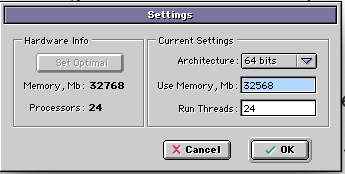
-
Ola Joseph! Thanks a lot for the Tip! Tom
-
Request status update of Version 10 please
Tomas Egger replied to Eias3D Grasshopper's topic in EIAS General Forum
Ola Grasshoper! We are running, fixing bugs all day, polishing the App. We will release v10 this year for sure as soon as possible! You can message me privately anytime! Thanks a lot Tom -
Ola my friend! Msg us anytime :) Thanks Tom
-
Ola! Im running 10.13.6 and 10.14.x Everything working fine, probably you don't have a fixed IP address on this Mac, or you have a Ethernet cable and Wi-fi On at same time, which can confuse Rama / Slave. Thanks a lot! Tom
-
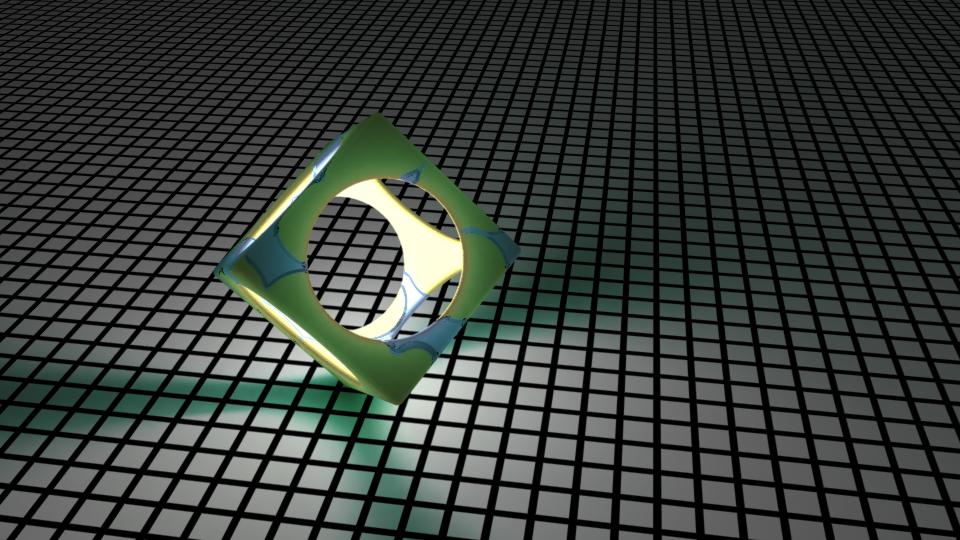
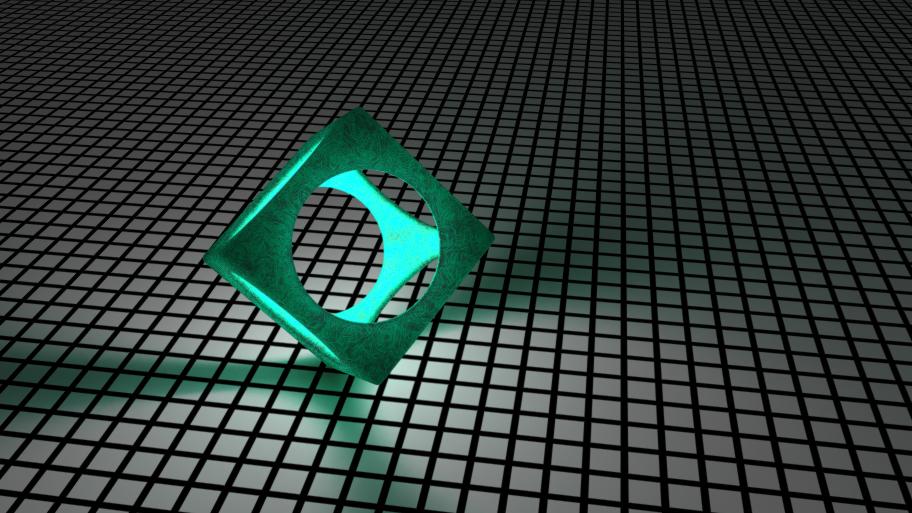
Ola Maher!Your project rendered in v10, using both shaders, Wisp and Crude.ThanksTom
-
Ola Maher! Thanks a lot.. I will test it soon! Tom
-
EIAS v10 current development!
Tomas Egger replied to Tomas Egger's topic in General Development and Updates
Ola Joseph! We are polishing the last feature, after that only bug fixing for release.. we are working non-stop! We are anxious to finish it. Thanks Tom -
Ola Maher! Could you send me a really simple project which make Camera crash with Wisp? Thanks Tom
-
Ola Frank! Its secret :) Thanks Tom
-
Hey Frank! Just read your first post! the problem is the new OS security system, please, install TeamViewer.com and msg me in private, I will remotely fix your mac :) Thanks Tom
-
Yes, because Catalina is a full 64 bits OS, EIAS 9.1 still 32 bits. Thanks Tom
-
Build that city, Cyberpunk kit for free
Tomas Egger replied to S. Houtzager's topic in EIAS General Forum
Ola Maher! Really beautiful! send me the free mini-kit link, please. Tom -
Ola Maher, The built-ins plugins will be fine, the plug-ins we support in our website will be ported too, Blair's plug-ins are already 64, only the really old ones from other companies will not work most probably because they are 32 bits. Thanks Tom
-
Ola Rory, Just answered your email, you will just need to upgrade, don't need a full copy. Thanks Tom
-
Ola Rory! So, hold back a bit before you sell your copy, v10 will address a lot of these issues :) Thanks Tom
-
Ola Rory! Sad you are leaving the team :( Hope you come back again in the future! Thanks Tom
-
Ola Maher, Sorry! I forgot to reply on the forum! Here the all Blair’s plug-ins projects and Docs. https://www.dropbox.com/s/bmyrdbpp5nnp7qh/northernlights3d_eias9_projs.zip?dl=0 Hope that helps Thanks Tom
-
Build that city, Cyberpunk kit for free
Tomas Egger replied to S. Houtzager's topic in EIAS General Forum
Ola Maher! Really beautiful renders!!! Time to create a scene with these assets! Try to prepare a scene and render, I will post it for sure.. Awesome! Thanks Tom