Tomas Egger
-
Posts
3514 -
Joined
-
Last visited
-
Days Won
20
Content Type
Profiles
Forums
Events
Everything posted by Tomas Egger
-
Ola AVT! Cool helicopter and logo! Thanks Tom
-
Ola Joe! Please, collect both EIAS 8 and EIAS 9 projs and send me! tom@eias3d.com Thanks Tom
-
Ola Joe! Is this EIAS 9.1? Please, collect the project and send me! tom@eias3d.com Thanks Tom
-
Ola Rich, Use the new option in the contextual menu "reveal in Finder", when you select the Ubershape in the project window, if it's from EIAS 8, close the project, rename EIAS 8 folder. It will force the second time you open the project in EIAS 9 to use all EIAS 9 64 bits tools. Then save the project ;) Thanks Tom
-
Ola Rich! Camera 64 is used only when you have huge texture files and models which 32 can't render, Camera 64 is not faster than 32 in all most comparisons, but can be if you have huge files only. Did you understand? Thanks Tom
-
Ola Greg! I would like to post them as soon I have time ;) Wonderful work! Please, show us more projects, I know you did several.. Hehe Thanks Tom
-
Ola S, Exactly! Thanks Tom
-
Ola, EIAS3D test rendering aXYZ characters: EIAS 9.1 (Electric Image Animation System) 1280x960 - Using Global Illumination Sky Light aXYZ still ready posed character models Old Mac Pro Xeon 3GHZ, 8 threads - 8secs per frame. Thanks Tom
-
Ola Rich! Maybe its a OSX permission problem? Install 9.1 again in the slave, but drop the EIAS 9 folder in the desktop. Msg us. Thanks Tom
-
Ola Rich, OSX 10.6.8? When you open Camera settings, cant you see this pop-up? Thanks Tom
-
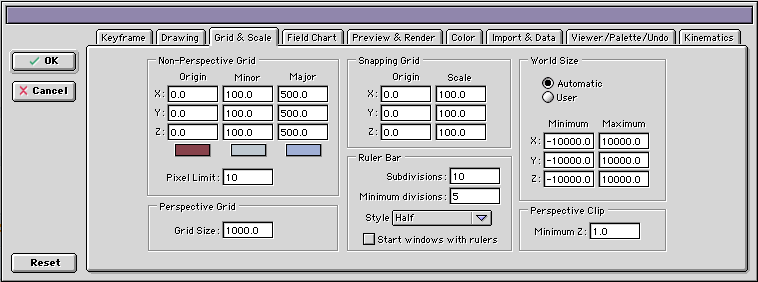
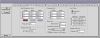
Ola Brian! Take a look in your preferences / Perspective Clip Sometimes, depending your scene scale, you need to decrease or increase, from 1.0 to 0.1, or from 1.0 to 10.0.. higher and lower numbers are allowed too. Thanks Tom
-
Ola Rich! Do you mean in EIAS 9.1 running on a Mac, its not seeing 64 bits architecture? Thanks Tom
-
Ola Gabe, Just tested your scene with Calm today, it was exported from some 3d modeling software with bad geometry, its corrupted. I tested with EIAS 9.1 and EIAS 8, same bad results, camera is jumping all over the place. Thanks Tom
-
Ola Gabe, I guess you see the viewports empty because your scene it's too huge or too small! Try to re-size the scene when you import it or re-scale the scene in EIAS, export and re-import again. Thanks Tom EIAS3D team tom@eias3d.com
-
Really Cool Kevin!!!!
-
Ola S! Wow, never see this! 1) Do you have an small object close to Camera? 2) Turn off motion blur if it's enabled 3) Turn off reflections if it's enabled 4) Turn off "strip" render if it's enabled. What happens? Thanks Tom
-
Ola Brian, This is a complex question, because, the features were updated and plug-ins too, so, you can even open and save in EIAS 9, but maybe you are using a old EIAS 8 tool, if you have everything running in EIAS 9, maybe its possible to to open in EIAS 8 or older, but the tools will not work. Thanks Tom
-
Ola Brian! Since you have a EIAS 8 project and you are working in EIAS 9 or 9.1 doesnt mean EIAS is using the latest plug-ins and shaders from 9.1. If you have a doubt, for example, click in the plug-in or Shader and use the contextual menu “Mouse + Control key†to use the “Reveal in finder†new feature, it will show you if the Project is still using a EIAS 8 tool or the correct 64 bits EIAS 9.1 version. Thanks Tom
-
Ola Brian! Please, rename EIAS 8 folder and open the proj again, my guess, your Proj is trying to use old EIAS 8 tools on using EIAS 9. Thanks Tom
-
Ola Brian, Please, collect Send to me.. tom@eias3d.com Thanks Tom
-
Hey Hal! Great you are doing a lot of work and making clients happy, even when they send bad geometry :) Thanks Tom
-
Ola AVT and Hal! Wonderful project!! Thanks for the making-of!! Tom
-
Ola Blair, I agree with you, I mean, the only thing not possible is move a unique instance in the viewport. But I always use Placer a lot! Thanks Tom
-
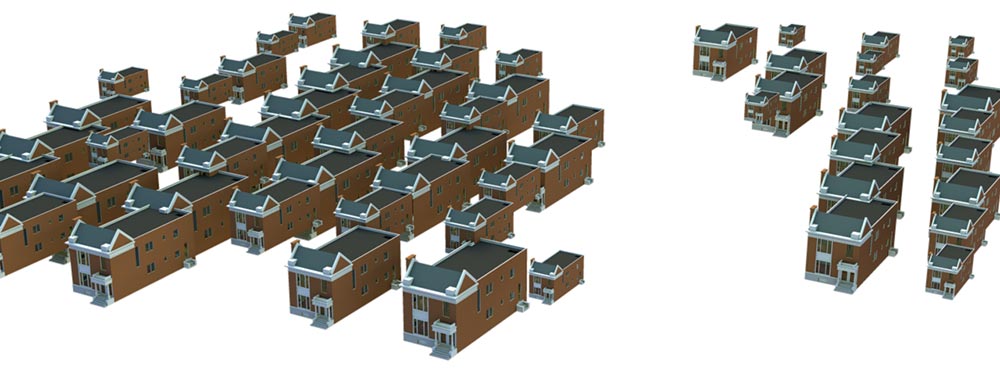
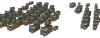
Ola Greg! Here, a Placer_64 bits test with Camera 9.1 - 64 bits, using “weight map†for placement, random sizes and rotations. This house have 173k polys, final scene with almost 5 millions, 1280 x 1024, Old Mac Pro with 8 threads, 7GB ram. Render time, 1min 46secs (GI Skylight + Parallel light + bounced light) Placer Deposit doesnt have individual manual placement, scale and rotation. Thanks Tom
-
Ola, Our FBX library still from 2006 version, thats why you have troubles to import. Autodesk have a FBX converter, a possible test. Thanks Tom