AVTPro
-
Posts
216 -
Joined
-
Last visited
-
Days Won
10
Content Type
Profiles
Forums
Events
Everything posted by AVTPro
-
Very sorry to hear this. You guys are great for all the work and opportunity you added to EI. You will be missed.
-
There's a little confusion on the subject because the way Wmps work was changed to make it more compatible with other standard character animation programs when FBX was added . EIAS when I first started use to be multiple bones per one wmp. Meaning, make all the bones of an arm (shlder,elbw,ulna,wrst,hand) and then one wmp for the whole arm. Attach the bones and it wouldnt affect the chest or neck. That's the simple way. However, other program that may import FBX use one weight per map. If you import a cylinder from Maya in EIAS via FBX there will be a wmp for every joint. This is good too because it generates a map for each bone which "excludes" the other bones on the chain. The wmp system in EIAS has been revisisted and in v8. In EIAS 8 all the weight problems has been resolved and there's new features to soften the maps. I believe both methods work now, Multibone wmps and single bone. The ReadyRigs DVD goes over a demonstration of how both methods should work in video #27 Weight Maps part 1. The video was created before v8 and doesn't show any new feature but only describes the methods. However the video goes on to show practical combination of both methods. I still recommend the DVD which is $85. There's a part 2 video on the same subject that explains the old quirks with weightmap. The DVD basically shows a number of techniques that will help you achieve your skinning successfully no matter what method you use. Also, I just did a quick test on MultiBone in v.8. It does work again. https://files.me.com/avtpro5/g5ktxl
-
Oh Yeah...I looked too. I remember now, the weight map system worked so well I never used it. I decided am going to go ahead and finish some of the tutorials I have for rigging. I'll get you a couple of old EI projects that I weight mapped.
-
Hey Steven there's a Salesman rig that comes with my Deformer Rig DVD for $85. It's has a sample of weights for a full man in a suit. However, it may also be online somewhere here. http://dl.dropbox.com/u/10021583/tutorials/EIAS_Intermediate_Tutorials/avtpro_rig_stuff.zip You have to add ".prj" if it still works. I did it in v5 I think. Anyway you should be able to see the extra bones. If there's an interest I will do a new DVD.
-
I would like to purchase your BR DVD. Is there an English distribution site? I never bought from Amazon (I don't think). I'm not familiar enough with it to by in Germany. Thanks.
-
Marvelous. I am very impressed with this renders and it's great working with you. I hope we get to work on more of this stuff.
-
Hey Guys, Time for something a little TAMER than Ninja Babe. This is a toon that I started over the weekend. It was originally from a cartoon sketch. No sure who the artist was. It's a quick Zbrush doodle with animation geometry flow lines. I still have to clean this up, so it's a WIP but I need to move on to another project. The right finger, left ear and two toes need work, but the form and mesh is positive. I will clean it up, UV map it and texture. Animator: lo Res ZBRUSH: Low Res and Hi-Res Geo. Camera: Low Res no Encage. This EIAS render has no bump or displacement, It's just smooth Geo and a few nicks, for what I come back to it. This took a couple of days instead of a week. Also, the design of the character wasn't planned out specifically in a character model sheet. Just 3/4 view, so I did some experimenting with the character design. I may sharpen the geometry in the nose and eyes and animate in EI as a low res as is Crits welcomed. Thanks. AVT
-
Hey guys, I seem to have a lot of with CGtalk moderating lately. I was never appointed a moderator there, I am in no way responsible for the lack of activity in the forum. Matter of fact I even got banned again for stating why. I did the challenge inspite of being blacklisted and I am still gettning blacklisted. I'm going to do my own thing for a while. You can find me on facebook if anyone needs me. AVT Pro 3D. This is my last post for a while. Yes, I am still and EIAS user. Sorry Geordie it was for the CGTalk Challenge. I am not longer an active member there. http://forums.cgsociety.org/showthread.php?t=904810
-
Hey Guys, So one asked why EIAS forum on CGTalk seem to be so dead. More so, they asked aren't I suppose to be responsible for keeping it up. I responded with this post (post is in the discussion area) and it seems I was blacklisted from the forum again. Seems I have a bit of censorship issues with CGtalk moderators. So if you are interested in my EIAS DVDs the place not to find me is CGTalk. I run my own group of facebook and I will post on the what EIAS forums are available for users. Though I was given moderator status of the CGTalk and now I am have been banned twice. Safe to say after 7 several years, I am no longer a member of CGtalk. If you need my services I will be on facebook AVT Pro 3D. Or just seach for my name.
-
Hey Folx the Frazetta Challenge ended today. Here's what I have. I definitely would like to see it in EIAS. Just as a low res previs model.
-
Thanks a lot for your support Felix. I am looking forward to res'n these models down so I can rig them. I hope EIAS continues to develop plugins like Encage (texture smoothness). I would like to focus on as many new characters, rigs, animations and DVDs as I can do.
-
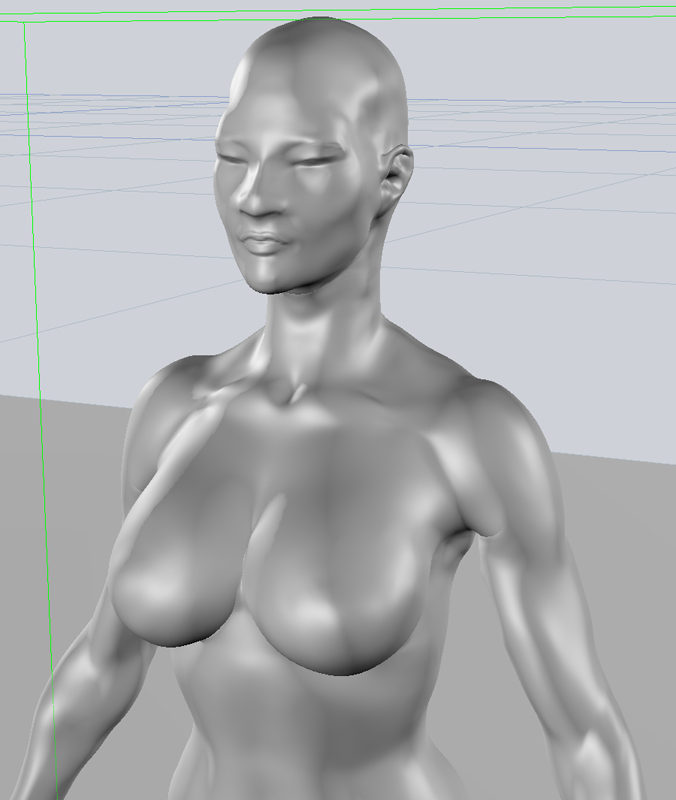
A new character. "Shi" High Res Test. Just good to look at the model in a 3D scene. The camera is nicer as well as the perspective view. http://forums.cgsociety.org/showthread.php?f=208&t=904810 Still have a good bit of clean but this is my first full female form.

-
I did do some rig teck support for the older EITechGroup but I really haven't heard much of what's going on. There's been so little interest in the pre-sale that I halted work on the other DVDs. The Deformer Rig is for sale ($85) and a special offer for the FK Spine DVD. ($60) Both for $120 AVT
-
Hey Folx. Request for normals to display in the project windows.
-
Wow! You've been BUSY man!! :-) Love that whole scene. The grey huge hanger detailed by the bright color cars. Is it me or is it sound? How much of this did you model? Keep up the great work. Nice to see EI getting some shine.
-
Amazing. Mandlebrot is a fractal, that does something similiar in 2D. Maybe Mandelbox is a 3D derivative of that equations.
-
Hey Reg, Render times are usually fast to screen cap. There may be a log but I don't know where it would be. I needed really quick test renders so I just output it to Ei as a hiRes and click Occlusion.  This is four Million, I could barely cap the screen. It was like one sec.
-
Hey Mark, It's a matter of preference. To be honest, sometimes I break the connection, or have some minor glitch so I use one when I usually may use the other. Like in this instance, I use O2F from export but usually I use Maya FBX. I think OBJ maybe be a bit slower than Maya FBX but since I have the OBJ from ZB, I just skip a step. Sometime I crash GoZ and use OBJ.
-
Hi I am adding a 3D resource page to my facebook. Please feel free to join. http://www.facebook.com/group.php?gid=129350023766105 Introduction Also there will be videos and tutorials on the FaceBook site that won't be included on YouTube. . It will be nice if FaceBook adds an an interactive chat :)
-
Hey Mark. I love UVMaster. Eventhough I'm waiting on pins and needles for a 3.5 or 4 release of ZB for Mac, UVMaster is a major workflow solution. I have this head UV already and it took no time. I'm thankful of that because eventhough I have a good UV workflow in Maya, UVs in ZB first are much simpler and faster. I just use Maya to correct minor layout preferences. BTW, I thought you were selling off ZB licenses on CGTalk or was that someone else.
-
Thats FABULOUS. Hate to sound like a broken record, ...EIAS render is so clean and gorgeous. Like the model and the animation is very cute...especially the blinking eyes. ;-)
-
OK. I don't know about GI Renders much but I put two or 3 bounces and the light, and then up the resolution to Sub5 (900,000)..still only a few seconds. It's a much denser mesh that the one above. I did a blackberry phone render. I think the shaders is what takes the most time. This is ZB cage. FBX import is really great. Maybe i will clean up the model and paint it tonite but it's just sketch.
-
You can't fool me Tomas...you are trying to turn me into a Renderer Person !! :) But yes, I tried that already. Still super fast. Way faster than Maya with two depth maps. I may tried polypainting instead. I haven't done it before. I love Zbrush, but we don't always have to use low poly maps in EI. If we are just rendering a still just skip it. BTW, I have to fix the lips. I hadn't done this kind of work in a long time in ZB so I forget to turn on symetry when retopolozing the cage. So I only have one half of low cage for the face. I took the cage in Maya with GoZ and duplicated then exported the full cage to ZB again. The project all feature in ZB like me KitBash the face to get the resolution again. It just BLOWS ME AWAY how much the technology has changed over the years.
-
Thanks for the birthday wishes :) I appreciate it. .. Maybe it's not high enough polycount. I'll have to do a denser mess if I want to get a good reading on the render time and polycount. Actually, the render speed is too fast for me to do a screen grab.. This is only a face, so maybe it's not high enough. I'll try out putting again. It has UVs tho. :) Maybe that will help. Best I can do is One second. even at 1920px :)
-
I just used EI to import a ZB sculpt. No maps, just a model. This is just something good to do when working. Nice thing is, OBJ2FBX and FBX import worked fine.