

fantomaz
-
Posts
277 -
Joined
-
Last visited
-
Days Won
1
Content Type
Profiles
Forums
Events
Everything posted by fantomaz
-
Hey David, thumbs up B) !!
-
hehe, i like it :blush:
-
No prob, we are here to help :shy: Next: you can 'export' your lights with everything in place, when you export them as a fact model - just like exporting real geometry. In a new project you can import that model just like every other fact file. Alex
-
Hi Thomo, my way to move lights: • link the light(s) to a null • move the null • unlink the light from the null all should be intact and fine :shy: Alex
-
Simply: great!
-
Just to let you know: Tom is faster than hell in answering questions here. My feeling is: he knows the answer even before someone has asked.... ;) Good job! No, its a perfect job! Thanks Tom!! Alex
-
Hey Tom, looking forward, congrats! Alex
-
Yes, Richard is right, i did a 250 object conversion with no trouble, but 4000? Huhhhhh, i would split it in chunks... Alex
-
I am using only Macs to render (3x Mac Pro) why? Its easy: when i need more render power, i need it fast without any configuration trouble. So buying a Mac Pro is a single-click thing, when receiving the Mac, it will 'cost' me around 30 minutes to unbox and to finish the OS installation. An other 30 minutes for registering in my network and copying the needed files (the slavefolder of an other machine from my network). So the new renderer is up in around 60 minutes and ready to go. I tried hard with PCs in the past, but was never able to get these machines so quick to work than a new Mac. When you have the time and a longtime project is ahead you can get the results Diego is talking about. But in my case most customers ask me to have it done yesterday... So PC is/was no option for me. I think you can save the money a Mac will cost only when you have the time, knowhow and the manpower to do the PC thing. When you are in need for speed to get the work done, there is the Mac the faster/better solution - even when the hardware of the Mac is a bit slower/older. Alex
-
Oh, me too! Overall Ei 'feels' more like an OSX app than a pc one. Alex
-
Yeeessssssssss, V9 was THE thing in 2012! Merry Christmas everybody and happy rendering and working to all. Alex
-
Great one! The eagle is breathtaking (for me) and the overall look is fantastic. I like those shots and music a lot! Thanks for making it :) One more thing: I guess, that the composer/player of that guitar had always David Gilmour in his/her mind :shy: Greetings Alex
-
THAT would be GREAT! Alex
-
Hi all, does anyone know, if Motion5 imports properly the img-format? (with QT-plugin of course) My Motion4 only imports the first frame and tells me, that this frame is as long as the whole animation is. Dont tell me, that i have to use AE ;) because i stopped using this Adobe product with V2 - too complicated to learn today... Motion is my tool and its ok for me, so.... The only workaround is rendering in PNG or TGA and import this into Motion4 as a sequence, or to convert the animation to ProRes422 or Animation in FC and import after that. Alex
-
Polytrans from Okino does this in a very fast and robust way. You can use a slider from 0-100% for the whole model, or you can do it for parts of that model. In most cases you dont loose the overall shape of that geometry - evan when you reduce to 1% .... but than it looks very quirky (of course). Alex
-
Oh yes, i can confirm it! From version to version there are less bugs and more features that are useful and stable! Stay tuned, the light at the and of the tunnel gets brighter! Alex
-
I am with Mickael in every point exept, that i use EI from version 1.0 till today. My living is also sometimes EI addicted, sometimes not. It depends on customers need - of course. But over all these years, i was safe to know, that EI will do the job. Nevertheless if it was easy to do or not, if you have the resources (plugins and so on) or not, if you have the knowhow or not. Because: one of the biggest pro with EI was always the community of friendly users and the willing to share their wisdom to each other. Now we are in a situation, that a serious animator and some very talented programmers are the owners of a dinosaur piece of software and they act like it is a pleasure to work for peoples/users/animators need - like us. In every aspect i am aware of it. My guess is: we have a bright future coming our way of animating/visualizing and working with EI. I know, i will see old friends and make new ones here with coming versions of EI :shy: Alex
-
Hi Richard, maybe all are in their holidays? Here´s a quick one: Alex
-
Yes, here too - Snow Leopard (10.6.8) was the last OS which fired particles for me. Tooooo bad, when triple-d closed their business, i just bought it - because Dante was also a bit, uhmmmm, buggy and i hoped, that it can replace it.... Alex
-
EIAS workflow being revised - need experienced advice
fantomaz replied to David Sander's topic in EIAS General Forum
Hi David (its always nice to talk to people on the other side of the planet :-) There are a couple of modelers that work perfect with EI: • EIM is still working, on a G5 and on Intel machines with OSX 10.6 (and lower) - if it works for you: never change a running system... • MOI is a relative new modeler, they are at the beginning and have a bright future (afais) • PunchCad has some nice tools, starting from under 100$ and they write a good FACT • FormZ is doing a good job since years • Silo is a good modeler too at a good price • Rhino is in beta status (for Mac) and does also, since years, a good modeling job. You can always use OBJ instead of FACT when it comes to input/output of geometrie So you have a lot of possibilities :-) I would use EIM as long as it works and look in the meantime for the others to learn how they work and how they integrate in your workflow. Try a small job first and don't try to model a complicated car in a new modeler on a tight deadline.... When using two (or more) modelers at the same time (EIM and Silo f.e.) the switch comes slowly and you feel when its time to leave EIM (or not, there are lots of spare parts for the G5 out there.... :-) Alex -
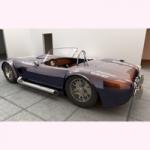
Thanks for all your comments! The first one, also the second, is only a test. Sure, the second one looks good, but overall there are some things missing. The cam is too far away from the car, the ground is too "flat", no rocks, pebbles and sand on the ground... But for a test its ok, i will investigate further. Alex
-
Next one! This time i did not use a hemisphere as the displacement, this time i used only small planes where i want the effect to be happened. With this setting you could control much better where and at which speed, turbulence and so on the effect is visible in the shot - just like with a mask in AE or 2D general. But, and this is a very important 'but' for me, you can control much better where the car "drives" out of the effect! A little color correction in FCE - done. Rendertime per frame: 1 second at 1280x720 (i like that :shy: ) Down the Road II Alex
-
Hi all, after 2 days of tweaking and testing here are the results. I decided to render in passes, because rendertimes are too high to render with the effect active (12 minutes per frame). So first the scene without any effects, rendertime is 2 minutes per frame at 1280x720, 4 million polys. I then took the rendered clip and placed him as a texture on a flat plane as a "background movie" in a new project (because the displacement effect wont touch the normal backgroundmovie when using rotoscoping). Used the same camera position as in the first project of course. Now i used a hemisphere as in the tutorial described above: 100% transparent, no specular, no reflectivity, disabled cast/receive shadow and disabled cast reflection. In the displacement channel i put the shader NoiseFactory, so the shader will displace the hemisphere. Over 10 seconds i animated the y offset of that shader from 10 to -10 that there is some up movement of the displacement. Rendertimes is 7 seconds per frame! Down the road Please dont look for the (not correct) movement of that car, i only needed something which is coming straight to the cameras eye for that test. In the final shot the Cobra will definitely drive correct :angel: Alex
-
Hi all, i am in the need of a good looking FX: Heat Haze You can find tons of tutorials for Combustion, Shake and of course AE, but i cant go down for 6 month in the cellar to learn that beasts. If there was a good tutorial for Motion, probably i would ;) :angel: But hey, heat haze is a kind of refraction, so why not doing it in 3D? Ok, thinking, deeeeeep thinking....very deep! Once upon a time there was...hmmm, i remember that there was a tutorial about 'Heat', somewhere on the internet. The name of the site had to do with "electro" — BINGO! Long ago there was a real good site with lots of tips and tuts: 'electro303' ok, lets google this, found it! You can still reach it, but.... ok, here is the link: electro303 The tutorials are there and i found the Heat-one, but PITA, you need a special shader: BOrganic from Konkeptoine. But i dont have that shader, too bad. The author of that tutorial had an alternative, but maybe i can do it with an other shader with the (nearly) same functionality as BOrganic? Otherwise i have to do the suggested other method. Thanks for any tipps! Alex
-
Cool! Best wishes from Germany for the project!
