Tomas Egger
-
Posts
3514 -
Joined
-
Last visited
-
Days Won
20
Content Type
Profiles
Forums
Events
Everything posted by Tomas Egger
-
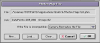
Ola Rich, AWESOME RENDER!! 1) When you change the pop-up to permanent, you will see this window: 2) The first button at your left is the “new†button, click on it 3) Choose a name like “Light 1.phm†and click the save button, you need to save this Cache inside the Photon Maps folder on your EIAS 8 software folder. 4) Dont forget to hit the “OK†button, otherwise, the cache will not be saved. 5) Its done, do it in all your Photon Lights which you have in your project. Having your lights as “Permanent†will speed up your render tests. Message me Thanks Tom
-
Ola Brian, So, the network is blocking the slaves! Did you see this Renderama tutorial from Ian? Renderama Synced http://www.eias3d.com/category/video-tutorials/eias-workflow/page/3/ Thanks Tom
-
Ola Andy, Yes, it will be possible when we release it, we will not change our current prices. http://www.eias3d.com/buy-now/eias-electric-image-animation-system/ From EIAS 8 to EIAS 9 will be $395.00 From EIAS 7 and earlier to EIAS 9 will be $495.00 Take a look if you have DUO dongle which runs on Mac and PCs, otherwise, you will need to acquire a new one, which cost $50.00 + Handling and Shipping. Thanks Tom
-
Ola Steven, I had a chance to play with a 12 cores and EIAS 9, I become totally addicted :) Thanks Tom
-
Ola Brian, Did you change anything in your OS or machine configuration? How many HDs do you have installed in your machine? Could you create a new slave in another HD from scratch and see if it works? Is the permission of the Slave folder allowing to read and write? Thanks Tom
-
Ola, You have Renderama prefs: Your HD/Users/Your User Name/Library/Preferences/RenderamaPrefs Dont forget to change the Set Port Number of new slaves, because if its in the default :1616, it will conflict with local Slave and it will not open. Thanks Tom
-
Ola Rich! I do my final renders as GI & Secondary-Database-Permanent with GI on 1 bounce only, so, Camera will create Permanent caches to Area Light, it speed up, because Camera dont need to re-calculate several times the photons. Normally, on my tests, to speed up, I change my GI Window Primary rays to something like 50 and turn off the Render Anti-Alias, so, I can change lights and other details, but I still use all Area Lights as Permanent caches. I did this tutorial here, take a look: http://www.eias3d.com/forums/showthread.php?tid=548&highlight=Photons Hope that helps Thanks Tom
-

HELP WITH PURCHASING and IMPORTING OBJ with OBJ2fact
Tomas Egger replied to a topic in EIAS General Forum
Ola Jake, Zip both files, OBJ and C4d, send in my email :) I will convert for you. tom@eias3d.com Thanks Tom -
Ola Vic, Are you trying to read the project which you are working already? I dont know the tech, but probably this generate a Loop which Animator cant understand. Please, Save As your project with another name and then merge, see if its working. Thanks Tom
-
Ola Joe, We are working hard ;) Thanks Tom
-
Ola Joe, 1 - Old Rama BUG, fixed on EIAS 9 2 - related bug with 1 3 - Probably because the file will exceed 2GB limit, we added new options on EIAS 9 too. Hope that helps Thanks Tom
-
Ola, Any prb, feel free to message me! Thanks Tom
-
Selecting an object in a Rendering in Photoshop
Tomas Egger replied to S. Houtzager's topic in EIAS General Forum
Ola Steven, Good question, Dave can answer better, he uses all day :) Dave?? Thanks Tom -
Selecting an object in a Rendering in Photoshop
Tomas Egger replied to S. Houtzager's topic in EIAS General Forum
Ola Steven, Did you try render layers feature? You can use RPF_Saver, which you have *Object ID, it will create a RPF file which can be read in After Effects. or EI_Layers, which you will use the add button and choose “Masks of #â€, it will create a .PSD file for Photoshop. Hope that helps Thanks Tom -
Ola KB, The handles appear only if you are in the velocity mode, F-curves in any 3d software control the shape of the path editing the f-curves. Thanks Tom
-
Ola KB, Did you create a path with only 2 keyframes? Thanks Tom
-
Ola Scott, Copy EIComponentUB.component to Your HD / Library / Quicktime. Restart your Mac, than drag any Animation .img to Quicktime 7. Thanks Tom
-
Ola Scott, Right now, you need to install Quicktime 7.6.6 which is included in the Snow Leopard DVD installer or Apple web-site and add the EI quicktime component, which you can find in here, in the bottom of the page: http://www.telegraphics.com.au/sw/browse/File-Formats Thanks Tom
-
Ola Kbartlez, Believe me, I had the same problem, deleting spams when my 2 years old son appeared in my office in the exact time, I was deleting the “nude†spam!! Arghh Thanks Tom
-
Ola Rick, I noticed too :), Im waiting our web master’s email answer. Thanks Tom
-
Ola, We just installed a protection system in our forum, let's see if it works fine, so, far, so good ;) Thanks Tom
-
Hey Paul, We are waiting our web master with solutions, these Spams give us headaches!!! About EIAS 9, our latest July Newsletter talk about this.. we are in the last cycle, but its not fast, since we want to do everything carefully. http://eias3d.com/MailMarketing/05072011/ http://www.eias3d.com/forums/showthread.php?tid=738 Thanks Tom
-
Ola, After Safari browser (Mac/Pc) update, lots of Vimeo videos stopped to work, our web master is trying to find a solution!!! Just tested Firefox! working fine. Any way, please, go directly in our Vimeo Video tutorial group :) http://vimeo.com/groups/eias Thanks Tom
-
Ola Alberto!!! Awesome :) Thanks Tom
-
Ola Greg, Sorry, I lost your message in the Forum. Question: With Macs works fine but not with PCs? using strip render, correct? - Are you using Photons map as Permanent or Always? - Did you try to turn off Render Anti-Alias and a lower count of Primary Rays on GI window? - Are your PC Slaves up to date? Thanks Tom