fantomaz
-
Posts
277 -
Joined
-
Last visited
-
Days Won
1
Content Type
Profiles
Forums
Events
Everything posted by fantomaz
-
Viewing on iphone an animation as it renders
fantomaz replied to S. Houtzager's topic in EIAS General Forum
Cool tipp! I just discovered Dropbox for a couple of things that a very useful. Alex -
Hello James and welcome back :-) I am afraid its not possible yet - which version of EI are you working with? Alex
-
Cool! I like those movies a lot :) The bad thing about vertical objects is, that you have plenty of space around this fantastic rendering. A world with more horizontal object would be fine for us, or horizontal monitors of course :angel: Alex
-
Wild Turkey and Four Roses :-) Here is the new one: http://www.cobra-gestaltung.de/EIAS/Rim_test_3.mov Alex
-
Ha! Found it .... i was too tired after several attempts. I just used this time a simple black circle as a cylindrical clipping map (from the side) and animated the degrees from 0 to 360 and back to 270 -> worked perfect. Sometimes its useful to write down the problem (and drinking a Bourbon) to get the brain clear :-) I will post the results. Alex
-
Hi folks, i have a little problem here: customer wants, that i revolve his rim in a small animation. No prob to make the profil and revolve it in Modeler, but customer wants to 'see' the revolving in the animation. First try was to built the 360 revolved object and than work with a clip map to fake the revolving in animator, hm, no luck. I cant imagine a clipmap, that is going full 360 degree to reveal the whole rim, something is always "blinking". Best result is with around 270 degrees, after that it gets complicated.... Next problem is: After the 360 degree revolving (when the rim is complete) i have to cut back, that you can see 3/4 of the cutted rim. Too bad, that Plugin "Chisel" from Northern is out of business with V8, it would be perfect for that job... Any idea how to create that look? Look at the test movie: http://www.cobra-ges...AS/Rim_test.mov Alex
-
And 2011 Volkswagen 3D-rims too! And some really cool street textures...all for free! I like that :-) Alex
-
Just right klick on the link and say: save as...
-
Cool find Tomas! I like these skys a lot Alex
-
Hey! Thank you all for your positive feedback!! Yes, i dont like modeling very much, but in this case it was a lot of fun - ok, sometimes ;) What helped me a lot was the old model of the Cobra i was using for years. So i had a clue where to built what and with what kind of technique. I dont think i would do it again, i am simply too slow at modeling. But this one was only for me and for testing and learning. Hopefully i can make the car drive with EI in the near future and while i am waiting for the spring/summer, i put the car in the garden behind the house. Just for testing and for fun, of course :shy: Alex
-
Some questions: - how many slaves/renderers are working on that machine? - do you render via Renderama or only with one local camera? - how many ram per renderer have you assigned? full size aka 2GB? - is the machine you are rendering on, working on other things while rendering? - is enough HD space for all the buffer files available? When rendering 330.000 polys with lots of lights (mix from GI, spot, area (w/wo photons) and radial) i never had such rendertimes per frame, Even in full HD. There must be something wrong in that render setup on that machine i think. Alex
-
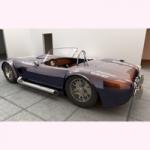
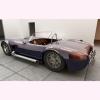
Hello all, since 1998 i was playing with a 3d model, which i found in some "dark areas" of the fast growing internet at these days, it was a model of an AC-COBRA - the car. After all these years, i decided to do my best i can and modeled a new one... This was very very hard for me, because modeling is not the thing i like very much. Especially when it comes to free forms.... Ok, i had no pressure at all to finish this game, so i started last summer on the body. Every now and then i did some polys and splines. At the end of februar it was ok for me and i stopped modeling and started to transfer to EI. Hopefully the model is good enough for the next 10 years :-) to play with it. In the last days i textured and painted the car and did a lot of testing. I kept all these testrenderings and putted them into FCP, did two camera moves wrote down some specs and here it is. Have fun! Alex Klick on the picture for the film:
-
Some answers • What is a realistic resolution for high quality animation? web: 1024x576 (16:9) (and smaller for some cases) offline: 1280x720 or 1920x1020 (16:9) DVD: PAL or NTSC Bluray: 1980x1020 in general: do a 16:9 animation and look for the right compression and codec, MP4 is mostly a good one, H264 of course also. • What is a realistic target rendering time per frame for high quality animation? I am happy with under 5 minutes for 1024x576, under 10 minutes for 1980x1020 • Do I need to be really focused on reducing number of polygons in my scenes? Yes, invisible objects should be turned off f.e. Also, when you have a simple cylinder in your scene and you cant see the top and/or ground of that cylinder, there is no need to model that cylinder at 256 sides, you only need 64 or less. In general: only things that are very close to the camera have to be high poly. Think about "proxy" models, if an object is close: use a high poly resolution, if its far away: use a low poly one. You can make a selection set for different cameras to quick turn on and off the objects... • Is Final Cut Express HD the right application for what I am trying to produce? No problem with the app, you can do most things with FCE that you can do with the big-brother FCP (V.7) or the new FCPX. • How many stages do I need to go through to develop an animation? No general answer on this bullet. Sometimes you need 50 preview renderings, sometimes only 10. • How do I create fast previews when the "Preview" function doesn't seem to be able to control frames per second output? For fast prewiews turn off AA in render window, render to Phong, do a Quicktime preview • How do I even use the "Camera View" window with the "Preview" function if the "Camera View" window doesn't seem to function properly?.......... I always use the "use camera light" in camera window, so you have a "first person lightning" of your current scene. Then do a snapshot rendering with the options from above. When your models are turned "inside-out", then probably your normals are wrong, take a look at model info window and try to switch the setting. Feel free to ask! Alex
-
Hey Buggsy, i am with you - that means: you are not alone! I totally understand your problem and like me, i always looked for a big mistake i was doing when it comes to animations. But after so many years doing animations, today i am sure, that every 3D-, or combination of 3D/film-problem is a separate problem of that single job. Of course when working with 3D you get skills over time, that are usefull for the next similar job, even when this job comes after years. And this is the main problem. We have have to be modelers, lighters, animators, painters, salesman, technican, computer specialist, father friend and everything else - you name it. So we are, uhm, lets call it generalists. We have to know a lot of things, that are not buried in our profession. F.e. i am an industrial designer and my main education was designing "things", like cars, furnitures and so on. But i have no clue how the steering of a car works (f.e.). So i had to learn it, to do an animation of a car. It can be fun, but sometimes its not. And when you learn it, it gives you no clue how a brake works - but you need that too for animations. This knowing of brakes and steerings can be useful for a next job, maybe an animation of bicycles. But its not useful for lighting a scene... And when you are at the stage of lighting a job, you discover, that every animation lighting is different from the other. So i did a main decision what i want to do, designing things? Doing stills? Doing animations? No, i wanted that all. But the price was accepting, that i had to learn for ever "how life and things works", even when these things are not in my main business. Since that day i feel better. I did a master plan for me and nailed the steps i need in my brain: no big jumps, go only steps. But continuous steps - and dont stop! Sometimes look back, but mostly look forward. So when your animation render times are too high (f.e.), look for the problem (too many poly? wrong lights? to slow computers? and so on) fix one problem after an other, dont try to fix everything in one goal. What helps is a good documentation of problems and solutions that you built on your own base. And keep in mind, that we are all here with the same problems, so ask a lot! Good luck Alex
-
Look here: http://www.daz3d.com/ Its DAZ Studio Pro 4 Bryce Pro 7 Hexagone 2.5 Its for PC & Mac Nice! Greetings from snowy-cold (-12....) Germany Alex
-
The best Phong in town B)
-
Felix, look at 'upper right corner', there is a button called: View New Content Voila Alex
-
Good news! Merry Christmas also to our community and the rest of the world too! Alex

-
Cool! I like it very much! Thanks for the project, it let me think of other similar problems... Alex
-
An other wish: Export of xml data (3D) from Animator to Apples Motion - like in C4D f.e. camera position, nulls, and other Alex
-
An other wish: Export of xml data (3D) from Animator to Apples Motion - like in C4D f.e. camera position, nulls, and other Alex
-
It would be really a good thing, when you could send testrenderings (snapshots) to a second computer via rama, so your main machine stays usable when in heavy poly projects... Alex
-
It would be really a good thing, when you could send testrenderings (snapshots) to a second computer via rama, so your main machine stays usable when in heavy poly projects... Alex
-
Great work! I like it very much! The only thing i would 'shift' is the two palm trees in the atrium. Everything looks real "real" but not the palm trees. Maybe some more leaves? Alex
-
Great work! I like it very much! The only thing i would 'shift' is the two palm trees in the atrium. Everything looks real "real" but not the palm trees. Maybe some more leaves? Alex