
Buggsy
-
Posts
212 -
Joined
-
Last visited
Content Type
Profiles
Forums
Events
Everything posted by Buggsy
-
I'd like to have multiple projects open at the same time, able to copy and paste materials, objects, camera's etc between open projects, preset workspace layouts ( I think it's too flexible at the moment), an auto save function and proper undo and redo. That's all I can think of right now. Michael
-
Hi Everyone, Latest work done for a property developer building 30 units. Once again all EI, ArchiCAD, Silo, Transporter, OnyxTree, NX Shader. I love using EI. Gives me exactly what I want with little problems if any. Michael
-
I use Silo version 1.41 for props etc. It's a pretty old version but bought it with version 8.0 of EI when it was being pushed as a modeler for EI. Create your model and "File", "Save Scene As", select the .fac format. That's it. Do you have anything specific that is going wrong? Michael
-
Good stuff!!!!!! What modeling software are you using for the architecture? What version of EI are you using? Michael
-
Hi Everyone, Latest internal view of one of my building designs/ArchiCAD models. It's an apartment re-design/renovation here in Australia for a customer who lives in switzerland at different times of the year. Model has been sitting silent for the last 6 months. There are a couple of things I don't like and will re-visit at some point. I seem to be getting closer to feeling happy about the speed and quality with which I can get them done. Loving EIv8.0 photons, have them for breakfast and tea......... "Would you like photons with that sir?". "Oh yes please, and can I have a side of Area Lights with that too!" Can't wait to see what EI v9.0 has in stall! http://www.goodbuildingdesign.com.au/Apartment_42.jpg Michael
-
Thanks archiboy, thats exactly the kind of feedback I'd hoped for. I wasn't sure of the claddings relationship to the frame and the setback depth of the windows. Do you know what the typical overall thickness of the external walls is and what are the dimensions and components that make up this thickness? Thanks for your feedback, it's much appreciated. Michael
-
Thanks for the replies. I should clarify some things though. The background is my photography and the building, foreground trees and vehicle are 3D models. My intention wasn't to mislead people into thinking it was all polygons. As an Australian building designer I have a good grasp on architectural materials in context with Australian architecture. As I am appealing to an American architectural market I need to gain an appreciation of things I may be representing incorrectly hence the reason for the comment on feedback on execution of the detail. I would love to render a background as good as a photo and one day I may have the skiils to do that. I am modeling the building with archiCAD which has a library that is American by origin. I have taken the front elevation and floor plans that were supplied and created the model from them. I may be inappropriately placing cladding, materials, windows and details etc in wrong locations simply because I don't understand the 'why' of the materials and architecture. My experience is that it's important the architect feels confident that I understand the detail so the portrayal is correct otherwise I'm only going to appear as a try hard rather than a professional concerned with how the architecture is represented. Ultimately if I have a good grasp on detail and material usage I can successfully model and texture a building down to a detail level that is a good basis to either do a quick job or push the surface details to get closer to photo-real. The scene is as follows: 2M polygons GI Primary Ray Count 250 Sampling Area 2x2 Bounces 1 Skylight Intensity 1 1 Radial Light, Intensity 1.2, Shadows Raytrace Soft edge, Light Radius 600 samples 12. 1 Secondary for reflections Anti-Alias settings 8x8 and 4x4 Approximate rendering time across 4 cameras on an iMac i7 with 20 frame strips is around 30mins Michael
-
Hi Everyone, Had an enquiry from an American customer to do some Artist Impressions. Thought I would try my hand at the architecture. EIAS naturally, ArchiCAD modeled, OnyxTree plant models and Photoshop for textures and editing. 6-7 hour production time. Some feedback on the execution of the architectural detail would be good. http://www.facebook.com/photo.php?fbid=198750220162799&set=a.198749943496160.41958.182068598497628&type=1&theater Michael
-
Thanks Tomas for solving this light flicker issue. It appears as though items that fall within the Area Lights "Block Distance" are at a risk of having conflicting issues particularly if they are being animated within this area. I had already excluded the sliding door frames from the Area Light so the block distance was reduced to 0.0 and the flickering issue has disappeared. Thanks Tomas for your time in resolving this. A handy thing I've learnt here is to try and reduce as much of where Area Lights photons fall, or rather bounce to, in order to reduce rendering time and reduce photon map data size. When I started I had a photon map data size of 70MB for each of the 6 lights in the scene (slow when emitting photons and baking maps in camera) and it is now down to 9MB. The area lights photons were spilling outside onto the 100's of thousands of polygons on the OnyxTree models. As they are outside the GI bounce is enough lighting without wasting Area Light photons on them as well. It has a more efficient use of photons and GI now. I will post a YouTube link once I have completed the animation. Michael
-
Hi Scott, I am using the 27" iMac with the core i7 processor running OS 10.6.6 with EIAS v8.0. There are no real special requirements that I am aware of. I just opened the EIAS 8.0.0.dmg and installed as per instructions. I have had problems with photon file corruption when merging projects. I have a project file that has OnyxTree .fact files that I have applied UV's to and when I merge it into my architectural projects it messes up the Database values in the Photons section of the lights I have set up in the scene I am merging into. This causes the "Emitting Photons" part of Cameras calculation to max out and give an error message. I just dump the photon files, re-set the Database values in the photon's section of the lights, re-do a snapshot and then render. I will have to post this bug for the EI team so it can get fixed. Renderama seems a little unstable also. I sometimes will have to create a new Slave folder with a higher IP address. I'll be using say 192.168.0.198:1622 and it will all of a sudden crash and never launch camera again so I make a new IP address of :1623 and it will work for a while and then crash and never launch again. A little frustrating to watch the other camera's working away and then having one not start up again for no real reason. One thing I have learnt to do when using photons is to try and exclude as many groups (polygons) as possible to reduce the photon maps size otherwise animation frame rendering times can be painfully large. For example I put OnyxTree models into my architectural renderings and because the trees are outside I exclude them from the internal area light which will normally reduce my photon map size from 70MB to 9MB. Saves a whole lot of time emitting photons during camera's rendering process. There is another issue (Tomas is reviewing my project file on this) that I am experiencing using photons in my animation but wont know until Tomas looks at my project. Intermittent frames have different brightness levels causing a flashing affect straight out of EIAS. Frustrating and unpredictable and I'm hoping it's something in my setup. I don't know if these are specific to the iMac, otherwise I find EIAS v8.0 on the iMac i7 stable and good to work with. Hope this helps. Find below here links to my internal renderings created with this setup. http://www.goodbuildingdesign.com.au/Artist_Impressions_by_Good_Building_Design.html Michael
-
I don't know what it is with me, I seem to struggle at getting the production of animation to go smoothly. If it's not one problem it's another. I went through the process of creating, editing and uploading a quick animation to my YouTube channel to find a workflow that gives me good quality results sufficient enough to be able to post all the other stuff I want to but what I have so far is crappy to say the least. Can anyone tell me why the quicktime animation that I created, that seemed to play nicely on my computer now has a terrible glitch in it when played back on YouTube? Is there a workflow that will give good results out of EI into Final Cut Express HD and onto YouTube? I am using Final Cut Express HD and outputting animation from EI as quicktime with the "Animation" codec with the highest quality settings. I am then importing it into Final Cut Express HD, editing and adding titles with Live Type then outputting again same resolution and with "Animation" codec at highest quality settings. Uploading to YouTube (large file size) which then plays back with terrible quality. Predictable results are eluding me and are frustrating me, as I want this to work well. I seem to be stuck in the mud and can get a flow happening quick enough with quality good enough to satisfies my creative passions. It all seems to happen too slow for me to stay focused on pushing ahead with doing more of it. I have high expectations but can't seem to reach them but maybe I'm expecting too much of the tools that I have. Any help would be much appreciated. http://www.youtube.com/user/GoodBuildingDesign?feature=mhum Michael
-
You know there is a chance I would believe in Santa if the EIAS team could create a plug-in that allows me to link my .fact model file directly to my ArchiCAD project file. I use an extension layer set in ArchiCAD for my 3D model and was wondering if it could be used in a way that means I don't have to spend arduous amounts of time re-importing a model and re-linking master materials and re-appling animation key frames and re-applying sampling levels and re-applying every@#?!thing else that needs re-doing because there is a revision to the 3D model.:dodgy: Whats the chance of this? The believe in Santa bit, that is cause I "know" (trying to sound convincing) that you guys could make a plug-in. I can't see myself being the lone ArchiCAD/EIAS user on the planet but I could see everyone's life who uses ArchiCAD and EIAS being somewhat improved by something like this. I have used EIAS since version 2.9 and I was told at the time by the Australian reseller (Rob Keeping) that he had been instrumental in having the current EIAS plug-in implemented inside of ArchiCAD. The main reason here is because I am relying more and more of generating an income from EIAS that I am finding myself needing to be price competitive in order to secure architectural work and this would certainly make it far easier to be competitive. Hope this is a possibility! Maybe everyone else who would like this should comment or respond here. Michael
-
I'm sure I'm doing something to cause this problem.:s I'm rendering my first HD internal architectural animation with GI photons and I'm getting this annoying and unpredictable flickering of what appears to be the area lights I have set up in the scene. I haven't done many animations so it may be something else. EIAS on my iMac i7 and MacBook Pro have just spent the last day and a half rendering 5 seconds of animation as part of an overall 30 second presentation of one of my home designs. I feel I can't continue with any certainty as the flickering appears in random locations each time I render a scene. I'm not talking about edge flickering due to lack of high enough sampling levels. I have found that a "Details" value of 1 in the "Global Illumination" settings will dumb this down enough for it not to be a problem. The problem appears to be one that I could fix in post editing by singling out the suspect frames and modifying their brightness to match the frames around them. A pretty sad way to fix it though. The problem is happening in different locations each time. The intensity of the flickering, be it ever so slightly happens on frames 5, 7, 15, 16, 18, 24, 27 and then doesn't cause any problems for the remaining 94 frames. Anyone else experience this problem and if so what is the solution/issue that needs to be addressed? Michael
-
Hi All, Some more internal stuff for a home I have designed here in Australia. All ArchiCAD, Silo and EIAS v8.0. Currently doing HD animation of this home with OnyxTree plants. Hope to have it posted to my YouTube account by the end of the week. If you use Facebook and you like the images please feel free to click the "Like" button at the bottom of the page. Michael http://www.goodbuildingdesign.com.au/Birtinya_Island_Headland_Drive.html
-
Hi Everyone, I haven't posted here in a while but have been following the conversations and postings every week. Find a link below here for my first lot of paying internal architectural work. I'm pretty happy with it. EI was solid and ArchiCAD didn't throw any wobblies at me either. The one thing I would love though is a plug-in that allows direct updating of model files between ArchiCAD and EI. It would be great to know from the powers that be if this is feasible. Maybe I'm just doing it the long way at the moment and there is a quicker way? I did run into a problem with the photon files though. I had to throw them all out at one stage and re-save them, then do a snapshot to generate the files before sending the job to Renderama. It just kept giving me error messages for each of the slaves. I thought I may have hit the photo ceiling but turned out that the photon files had gotten a little fuddled up. Chewed up a good hour and a half trying to get to the bottom of the problem :( All EI rendering. Modeling done with ArchiCAD and Silo. Fridge, couch cushions, clock and couch free internet models edited in Silo. Trees and palms exported fact models from OnyxTree Storm. Bowl of Fruit modeled by Dan Wade from one of the CG Society Lighting Challenges. Let me know what you think. http://www.goodbuildingdesign.com.au/Valley_Vista_1.jpg http://www.goodbuildingdesign.com.au/Valley_Vista_2.jpg Michael
-
Hi Tomas, I guess you believe 2.0 hours is too long? What is a reasonable rendering time? I have animated a lot of things in the past and have never been happy with the quality of the finished rendering. I am trying to put together a demo reel of all these animations but after seeing a lot of the animations on CG Society I know it needs to be a higher standard than what it is at the moment. I have wanted to offer animation as part of my architectural business for years but I haven't been able get my head around achieving a reasonable production time. I have found that during my short EI life that you set limits on what is an acceptable time to wait for your finished rendering and in the case of stills if 8 hours of sleep at night gets the job done then that's acceptable. This is not to say that this is an effective means of setting limits and I am now having to challenge what is a reasonable and acceptable time in order to get the work done at the quality I want and as quickly as possible. In practise Anti-Alias Level 4x4 & 2x2 takes less time than 8x8 & 2x2 and produces a better result than just 4x4 & 1x1 so I don't understand the comment that they need to be paired together. If they needed to be paired together why aren't they locked together in the interface? Everyones comments and help would be greatly appreciated regarding the way they go about their production times etc. Michael
-
I was just wondering what might be considered a reasonable rendering time per frame for HD (1280x720)? I know there are benchmark tests on particular modelled scenes but what is a realistic production time per frame? I am creating a demo reel in HD and don't really want it to take forever. I certainly don't want to have to re-render it all in order to achieve a better end result either. I am doing a scene at the moment that after re-addressing my lighting setup and pushing settings all over the shop to get better results that it went from 9 hours per frame down to only taking 2.0 hours per frame and the resulting image is so much better. I have 19 seconds in this one scene alone and the saving in rendering time is 16.6 days! It depends on a lot of variables I know but how do you know what is realistic? I would appreciate hearing what sort of rendering times are being experienced on Intel Core Macs for HD resolution. Some details on my project: Interior scene 441,000 Polygons, 1 Radial Light (Sun), 2 Area Lights (Ambient light), Blurred Reflections No transparency, GI sampling engine used on Radial Light shadow, 1280x720 resolution Anti-Alias Level 4x4 & Sampling Level 2x2, 500 photons per light source, GI Ray Count for Radial & Area Lights. Thanks for looking. Michael
-
Hi Mark, All CG Society Lighting Challenges are available here: http://forums.cgsociety.org/forumdisplay.php?f=185 All the model files to these Lighting Challenges are found here: http://www.3drender.com/challenges/ You just download the model files, import and or tidy them up and then start lighting and texturing. The challenges come with a kind of script as to what type of mood is to be achieved and a selection of the best renderings are posted on www.3drender.com I am planning on creating a download on my website so EI users can access them. The only problem is that I heavily use the NX Shader which was a Konkeptoine purchase back prior to EI acquiring it. I did set-out to improve this project so I could make it available to anyone who wanted to pull it apart. I could just provide it as is and the NX shader would just be dropped upon opening the project. At least the lighting set-up would be accessible. I might have to get Jeremy Birns approval to do this though. I think we would have to get Jeremy Birns approval to do these challenges here. It might be considered as highjacking the CG Society Challenges. Not sure what Tomas has to say about this. Maybe he could give his opinion on it. Michael
-
This one is a little annoying. I would also like to know if there is a solution to this. Michael
-
Hi Everyone, There appears to be rumblings of change everywhere so I thought this was the best place to show this. Wanted to show my revisited rendering for the CG Lighting Challenge "Fruit Bowl". The lighting challenge ended some time ago but I liked the challenge of the contrasting textures and variation of approaches required to successfully represent organic materials. I was challenged by Ian Waters comments on my first go at the challenge that my attempt was "almost there". I can't find Ians original comments so please excuse me if I have miss quoted you Ian. Point is it challenged me to dig deeper and research loads of internet pictures of all the fruit I have in the scene and to stretch myself further .....again. Well what an adventure. Truck loads of preview snapshots and utilisation of just about every material attribute and I think I'm just about there. There are things I want to do but don't know how to so will have to do some investigating so this is it for now. Here's the old one http://www.goodbuildingdesign.com.au/Fruit_Bowl_Final_Lighting.jpg Here's the revisited one http://www.goodbuildingdesign.com.au/Fruit_Bowl_Revisited.jpg The only editing done outside of EIAS was levels in photoshop. Thats it! Hope you like the improvements. Michael
-
Hi Mark, I used Firefox to view your videos which worked fine. Not sure why I can see them in Safari? There were some things in your video I don't use, but now will that you pointed them out. Like the "S" (scale) & "T" (transform) keys. I guess I don't do a lot of animation other than with the camera due to my focus being architectural. It's great to see users thinking and producing helpful materials to benefit the rest of the community. As much as I've scrubbed through your videos (I really should watch them entirely through) they're absolutely necessary. I vividly remember the days of the version 2.9 tutorial of "the oil lamp in front of the mirror" and the Zax Works videos that were around at the time. When you have stuff to deconstruct you learn quickly. When you have someone to lead you through it and explain WHY, it really helps to get your head around EIAS even quicker. I found in the beginning that I was overwhelmed by the complexity of the program and I needed someone to show me how to tame it. I would love to produce a whole series of tutorials on using photoshop to create textures then applying them in EIAS. I am planning though to dedicate a page on my website to EIAS projects that anyone can access so they can deconstruct my work and glean whatever they can from it. Hopefully I'll find the time to do this. Keep up the good work and don't underestimate your contribution. Michael
-
Hi Mark, I can't seem to be able to view the movie. I have installed Quicktime v7.6.6 on my iMac 27inch i7 but all I get is the Quicktime icon in the middle of my browser page when I go to the movie link. I have done as many have suggested and changed my Safari app to 32bit and installed the Quicktime from the Leopard CD as well as the one from apples web site but to avail. I clicked on the other movies located on the webpage and they work fine. Would love to see it but I can't. Michael
-
Fantastical.......... Vivid dreaming.......... Mesmerising......... Forget about the animation (ha ha) I want to buy the music DVD. Inspirational work. What an achievement. What a fantastic visual and listening experience. Thanks Diego, I now need to go and relearn everything I've ever learnt with EIAS. Or maybe the version of EIAS that Diego is using could be made available to all users (ha ha)? :( Michael
-
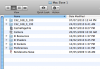
Thought I'd respond to this question anyway so if someone does a search that it comes up to let them know how a user is setting up their slaves etc. Excuse me if it's explained somewhere else. Camera is being modified by the development team of EIAS but the current version 8.0 is not multi-threaded. The good thing though is that there is Renderama which can take advantage of all the processors that exist, not only on the computer your on but also connected to your network. For instance I have 6 macintosh computers in my home and I can hook them all up and use their respective power to get a still or an animation done. If you have multiple computers over a network you need a Camera application and the Renderama Slave application on each computer along with EI sockets etc in one folder. Then you open each Renderama slave and give them all a different port number which you then add to your Renderama Application on the computer your controlling your animation/still from. Then open each instance of Camera and assign up to 2000 MB of memory to each Camera in the pull down menu. If you have a computer that has multiple processors you need multiple instances of this. See attached image below. For me I have 2 Intel Quad Core Mac's each with 8GB of RAM so I create 4 new folders in my EIAS 8.0 application folder on the hard drive on each computer (I have EIAS installed on both computers). I normally use the Mac Pro for the setup, texturing, animating, Renderama etc and then divide the frame strip total under "Render Information:Network", by the number of processors that I have on all computers. If you have older computers I normally divide the number depending on how their individual performance goes attempting to spread the workload according to the overall weekness of the render farm. For animation the same thing applies only that the "Frame Strip Total" function has no effect, as one single frame of the animation is rendered on each processor. Michael


-
Hi Tomas, I didn't know if this is the best place to post this but I can't seem to download the new v8.0 for Mac to get the new splash screens. I downloaded the new v8.0 but my .dmg file tells me "no mountable file systems". The size of the .dmg only seems to be 55.9MB but the download shows it being 81.1MB in Safari. I tried it yesterday as well it it quit before it got 25% of the way through the download. Please let me know if I'm holding my tongue the wrong way or if there is a problem with the Mac download? 27-inch iMac 2.8 GHz Intel Core i7 OSX 10.6.4 8 MB of RAM Mac Nehalem 2.66 GHz Quad Core Intel Xeon OSX 10.6.4 8 MB of RAM Michael