Mark Johnston
-
Posts
333 -
Joined
-
Last visited
-
Days Won
1
Content Type
Profiles
Forums
Events
Everything posted by Mark Johnston
-
HI I figure you have to set a empty project as a template with the settings you want. Open that and start work from there. Get your camera zoom and dolly and rotating working correctly adjust the clipping plane . I have 1 in minor 10 in major 1in snapping grid and 5 in clipping plane. I opened each of the projects saved those settings and adjusted all my windows top, front ,side , and camera views and saved. Now my projects will be the same size so, I know if I'am sizing imported models correctly, to be same size. Thats the way for me ,1 to me is 1 foot , 10 is 10 feet, since I'am importing cars that helps me see if they look about right. Found my own answer Mark
- 1 reply
-
- 1
-

-
Hi I have been trying to import models at the same size in to my scenes and find every time the preferences are being reset to really big settings which are way to big , the grids which I want 1 for minor and 10 for major keep resetting to 100 and 500 whats going on can't you set a global preference not a project preference. Help this is not right to me. Mark
-
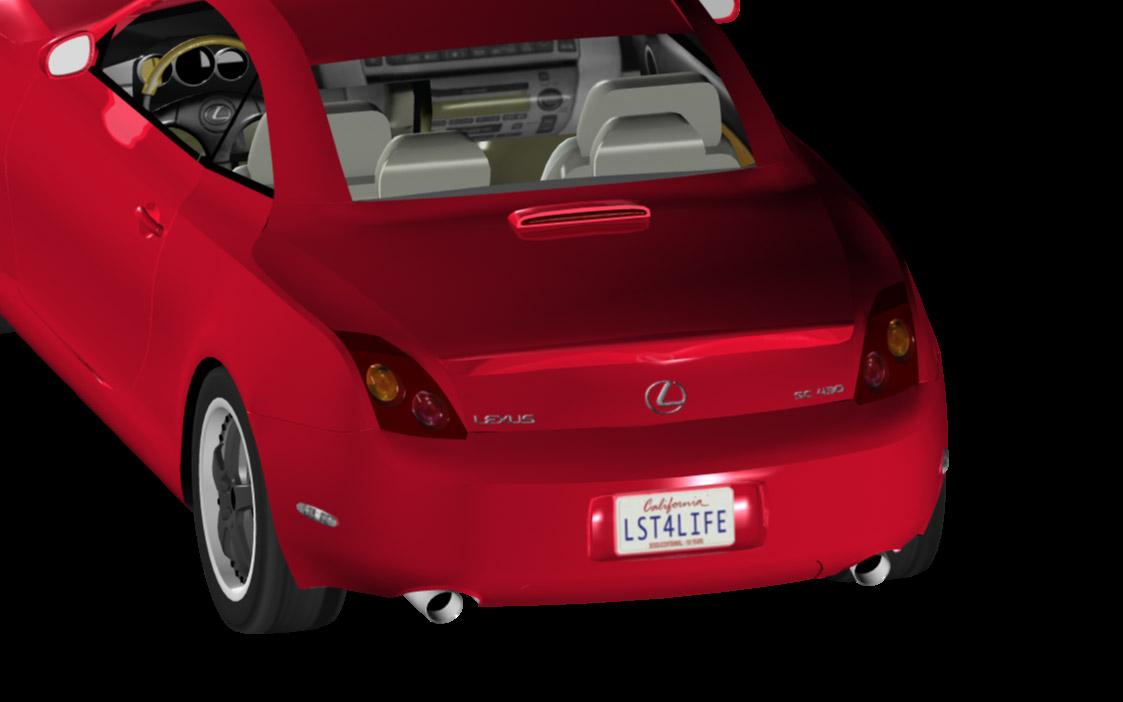
HI its been solved I believe flipping the x on import seems to be answer at least for reversed emblems and lic. plates

-
Hi I was thinking and will try tomarrow maybe when converting models y axis needs to be flipped this is why lic. Plate is backward being projected wrong direction . I flipped y I think to correct texture direction. I also noticed emblems and name of car backwards.So this looks like good possiblity . Maybe even that messes th bumper up on that model , cause all models were converted with same settings so all are probably backward I just didn't look close enough to see. Any way I will try tomarrow Iam on my iPad ar this time look at PDF tomarrow also. Mark
-
Hi I was able to export one of the models from poser that didn't get asked to find textures and then EIAS asked for textures, LIc on that model still came in backward but textures came in so that is better. I'm Done for today. Mark
-
HI right now i am confused because I have tried several other models and they export the maps but EIAS doesn't ask to find them, you can apply them yourself but you have to figure out where they go ( pain in the ass) not sure at all why? Then I exported one model where it put all textures except one, on correctly after asking for them. NO clue how to fix cause all are suppose to be Uv map but one texture not correct size . See what I mean. Bumper texture. Any idea how to fix? Oh LIC. plates also have to be rotated 180 to read correctly.

-
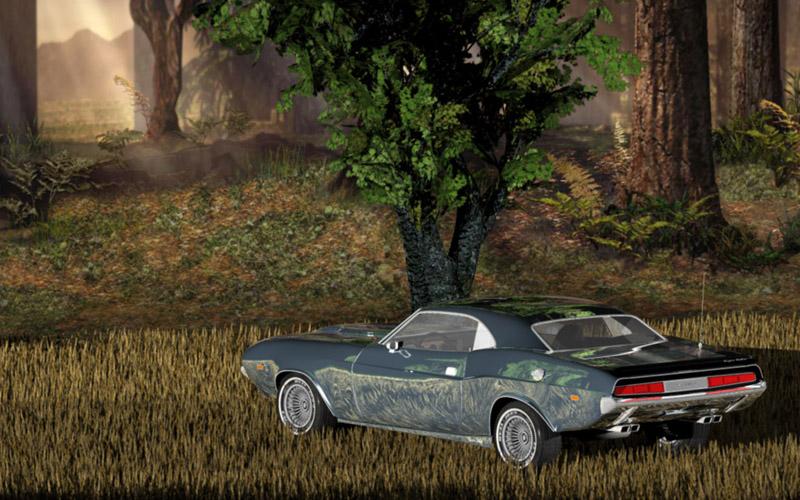
HI The car is a model from daz . The grass is from daz or the poser website I bought models from both mostly from daz. The grass is on of those postcard type things where it's not a 3d object so I noticed at different angles it did not look good so I was thinking If I wanted to animate the camera I guess I would try to use a( look at constraint) to make postcards always look at camera.The tree is also from daz or poser it is called posable tree so I think in daz you could change its look to some degree. The background is a cy model with a forest texture on it was also from daz or poser , I have different textures with that where it looks like beach or other things. At one time about 3 to 4 years I bought a bunch of stuff from daz all kinds of cars, planes, trucks, buildings, furniture , all kinds of plants, rocks, so on, things that would be good for making scenes . At 2dollars a model on the sales they always have for premium members.One model of some furniture might have 10 different objects modeled and textured for 2 bucks. Those prices are so good ,this is why ,when anyone who tries to sell models for EIAS. They should keep that in mind.To build a market your prices need to be cheap. I spend about 2000.00 on models there so I got a lot of models I can now use in EIAS .The textures are now coming in good and the models are converting fast with the new importing dialog. I still have to adjust the material settings so transparent things are transparent or put on reflection so on. But that is to be expected, it seems to me any way, cause a lot of things depend on the what you want it to look like in your scene. I always have to find first texture and then it has no problem finding the rest. So far I have just converted a few models to desktop but will now have to figure out how I should organize the models and textures as I convert to EIAS to make sure everything is logical and models find textures correctly. Also textures for each model need to be found easy so you could open and modify in photoshop if I have need for some reason. Any thoughts about this subject ? All models in one folder ,all textures in one folder, doesn't seem enough . Might be conflicts with names of textures from other models. All models in a folder that contains , folders named for types of models( buildings, so on) then named folders( by model name ) inside with models and textures in side that go together. Does that seem right way to you. Thanks Mark
-
Alternative to AE for EIAS compositing in OS X
Mark Johnston replied to Aziz's topic in EIAS General Forum
Hi looks like it would be great if they get the funding. -
Hi Steven One time when it gave an error message it said I was over the limit . What's that mean ?what do I do ? do I have to delete old posts or something? Thanks Mark Hi had to delete all my post attachments to get enough room to post 200 something kb and then it shows uploaded picture only taking 80kb

-
Hi just foolin around with some daz models tried to attach render keeps failing whats the size and format again Thanks Mark
-
Hi mondoman I was planning on reviewing and making an index of those lessons and then finishing more lessons with shorter and more descriptive titles just as you say. I had started making those lessons to help my 2 brothers learn the program cause I bought each of them a copy when the old company sold it for 200 hunderd dollars . Bottom line my brothers didn't even give me any feedback that they ever watched them or showed any interest so I lost a little of the fire to make them. I do plan on getting back to it soon. I have been getting into music apps on the ipad since december but recently upgraded to modo 701 and EIAS 9 and the latest Zbrush so I will swing back to 3d soon, still investing money in it. It seems like theres not enough time in a day but the truth is I could get more done if I put some more effort out. Any way thanks for mentioning mine very few have. Mark when I made them I was thinking it would only take a few to cover all i wanted to cover like maybe 6 lessons thats way I called them easy basic but as we know 3d's a little more complicated than that at, least I know it now.
-
Great renders
-
Hi Guys just want to add my good luck to Rich on his store . I thought you were a little less active recently , same here. Mark
-
Hi Great post , One of the best
-
Hi Tom Thanks for info . Didn't know AG where handled by Blair. Haven't had time to look at project but still will in future. Mark
-
HI Blair thanks for update and all the work your doing . Mark
-
Hi Tom I get error messages when trying to render projects, some have AG modo cloud shaders , I don't have, others have cloud shaders I think from version 8 I'm trying to open in 9. What order are projects made. I saw order of how to render passes but does that indicate which projects open in what order. All files decompressed are 6 gigs for anyone who might download. When trying to launch and I got error message, camera totally lock up and I could not even force quit it , till I opened different project. Any ideas or I won't be able to study . Maybe to complex project for me. Thanks Mark
-
HI Just downloaded sample have to check it out see what your doing before doing poll Haven't been doing much 3d lately got get back to doing it , been doing music stuff Had some of your lessons before all were great. Mark
-
HI Good work thanks for sharing Mark
-
HI Thanks alot for sharing Joe downloading project now Cool Mark
-
HI Great Lesson Bruce Thanks for sharing Mark
-
HI Diego Really creative great Mark
-
Hi Diego Great work Alan Parsons ? Who just joking a one time fav. yeah sounds pink. Very nice. Mark
-
Hi Vic Great Video Mark
-
Hi Tomas I had to turn the alert for bad web sites off in safari because each page I try to go here the warning pops up. Mark